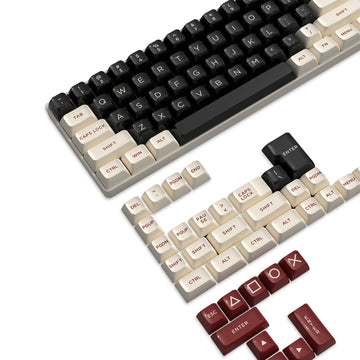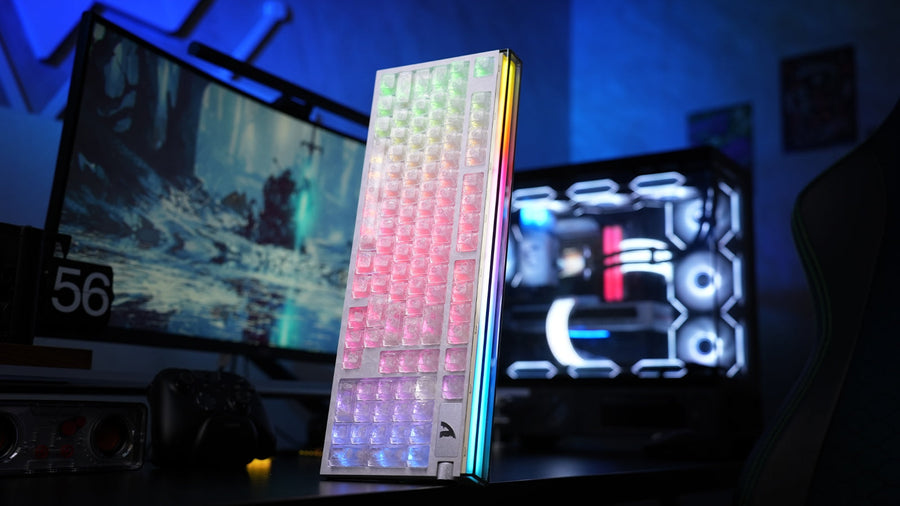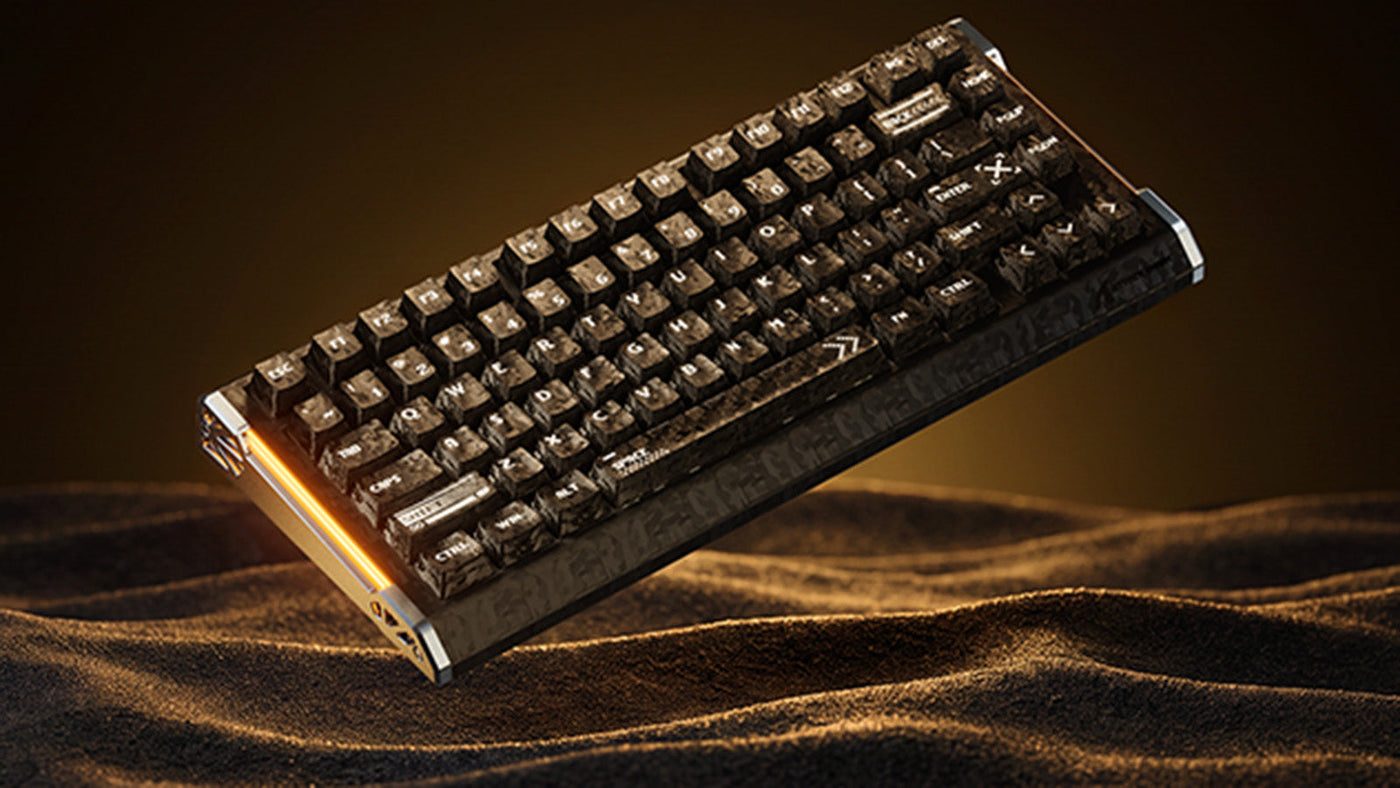
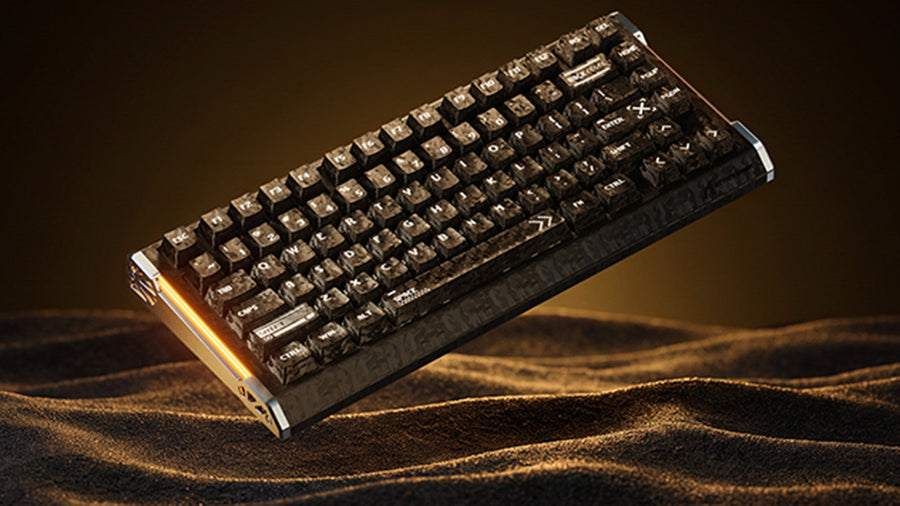
Un teclado magnético para juegos puede ofrecer reinicios más rápidos y un mayor control sobre la actuación, pero las especificaciones de rendimiento solo cuentan una parte de la historia. Las distribuciones muy pequeñas pueden resultar limitantes fuera de los juegos, una configuración agresiva del disparador puede provocar pulsaciones accidentales y una carcasa con un tratamiento deficiente puede sonar hueca. Desarrollamos el ATTACK SHARK R86 HE teniendo en cuenta estas desventajas habituales, combinando una distribución de 81 teclas, controles ajustables de efecto Hall, una estructura acústica de cinco capas y un diseño de compuesto de fibra de carbono forjado.
Por qué los teclados magnéticos compactos pueden resultar demasiado limitados
Los teclados compactos ofrecen a los jugadores de FPS más espacio para realizar movimientos amplios con el ratón, especialmente cuando juegan con una sensibilidad baja. Los problemas comienzan cuando ahorrar espacio en el escritorio también implica eliminar teclas utilizadas para la navegación, los atajos, la edición o el trabajo diario.
Un teclado del 60 % o 65 % puede ocultar la fila de funciones y los comandos de navegación tras combinaciones de teclas secundarias. Esto puede funcionar en una configuración dedicada para juegos, pero resulta menos práctico cuando se utiliza el mismo teclado para escribir, estudiar, usar programas creativos o realizar tareas generales en el escritorio.
Una distribución del 80 % ofrece un equilibrio más práctico. Elimina el teclado numérico y reduce el ancho del teclado, pero conserva las teclas de dirección independientes, una fila de funciones y los controles de navegación esenciales.
El R86 HE utiliza una distribución del 80 % con 81 teclas por este motivo. Deja más espacio para mover el ratón y mantiene las teclas que la mayoría de los jugadores necesitan fuera de una partida de FPS. Esto lo hace adecuado para una configuración con un solo teclado, en la que el rendimiento en juegos y la usabilidad diaria tienen la misma importancia.
Ajusta Rapid Trigger según cada tecla
Los interruptores de efecto Hall detectan cambios en la posición magnética en lugar de depender de un contacto eléctrico fijo tradicional. Esto permite que un teclado compatible admita una actuación ajustable y Rapid Trigger.
Rapid Trigger reinicia una tecla cuando comienza a subir. La tecla no necesita volver a un punto de reinicio fijo antes de registrar otra pulsación. Esto puede hacer que el contraataque de movimiento, los cambios de dirección repetidos y otras acciones de movimiento se sientan más inmediatos.
El R86 HE permite ajustar el punto de actuación de cada tecla de 0,1 a 3,3 mm. Su precisión de 0,005 mm de Rapid Trigger describe con qué exactitud el software puede ajustar y detectar el comportamiento del reinicio. No significa que todas las teclas deban usar la configuración más sensible disponible.
Una activación muy corta y ajustes de reinicio muy sensibles pueden ser adecuados para las teclas de movimiento, pero también pueden hacer que los comandos cercanos se activen accidentalmente con mayor facilidad. Una configuración práctica asigna distintos niveles de sensibilidad a cada tecla:
-
Usa una activación más corta y ajustes de Rapid Trigger más sensibles para W, A, S y D.
-
Elige ajustes moderados para saltar, agacharte, recargar y cambiar de arma.
-
Usa una activación más profunda para las teclas que deban resistir pulsaciones accidentales.
-
Guarda un perfil independiente con ajustes más tranquilos para escribir, editar y realizar tareas cotidianas.
Empieza con ajustes moderados y modifícalos después de varias partidas. La constancia del movimiento importa más que seleccionar el número más bajo disponible en el software.
El R86 HE también es compatible con las funciones Snap Tap, Dynamic Keystrokes, Mod-Tap y Toggle Key. Estos controles amplían lo que puede hacer cada tecla, pero resultan más útiles cuando se asignan a acciones específicas. Las reglas del juego pueden variar, por lo que los jugadores competitivos deben consultar las políticas del título o torneo en el que participen.
La frecuencia de sondeo de 8000 Hz en contexto
La frecuencia de sondeo mide cuántas veces puede un teclado enviar informes de entrada al ordenador. Un teclado de 1000 Hz puede informar hasta 1.000 veces por segundo, mientras que un teclado de 8000 Hz puede informar hasta 8.000 veces por segundo. Esto cambia el intervalo teórico entre informes de un milisegundo a 0,125 milisegundos.
El R86 HE combina una frecuencia de sondeo de 8000 Hz con una frecuencia de escaneo de 256K. La frecuencia de escaneo se refiere a la frecuencia con la que el teclado comprueba internamente sus teclas, mientras que la frecuencia de sondeo se refiere a la frecuencia con la que se envían los datos al ordenador. Juntas, crean una ruta de respuesta desde el movimiento del interruptor hasta la salida USB.
El efecto será más relevante para los jugadores competitivos que utilicen pantallas con alta frecuencia de actualización y sistemas que mantengan altas tasas de fotogramas. La detección de los interruptores, el firmware, el procesamiento USB, el rendimiento del juego y la frecuencia de actualización de la pantalla siguen contribuyendo a la cadena de respuesta completa. Una especificación de 8000 Hz debe considerarse una parte de un teclado orientado al rendimiento, no una garantía de un resultado específico dentro del juego.

Cómo la estructura interna moldea el sonido del teclado
Las conversaciones sobre teclados magnéticos suelen centrarse en la activación y la latencia, pero el sonido afecta a cada pulsación. El espacio de la carcasa, el material de la placa, las teclas, los estabilizadores, los interruptores y la amortiguación interna influyen en que un teclado suene limpio, nítido, apagado o hueco.
El R86 HE utiliza una placa de FR4 para proporcionar un soporte estable para las teclas y una respuesta controlada. Debajo de la placa y la PCB, cinco capas de tratamiento acústico abordan distintas fuentes de vibración y ruido de la carcasa:
-
La espuma de la placa de PE ayuda a controlar la vibración alrededor de la placa.
-
Una almohadilla de interruptor de IXPE suaviza los sonidos de contacto de frecuencias altas.
-
Las capas acústicas de PET ayudan a dar forma a la respuesta acústica general.
-
La espuma amortiguadora de los zócalos de los interruptores reduce el ruido alrededor de la PCB y los zócalos de los interruptores.
-
La silicona inferior rellena el espacio abierto de la carcasa y limita la resonancia hueca.
Estas cinco capas trabajan conjuntamente para crear un sonido más limpio y uniforme. El objetivo es que el teclado resulte cómodo durante largas sesiones de juego y escritura, manteniendo una respuesta clara en cada pulsación.
Los interruptores magnéticos HUANO Glass Jade complementan esta estructura con una sensación lineal suave y una fuerza de accionamiento de 45 gf. Esta combinación proporciona al R86 HE la respuesta esperada de un teclado de efecto Hall, al tiempo que ofrece un sonido de escritura más refinado.
Compara los materiales, la compatibilidad y el control mediante software
La carcasa, los interruptores y el software dan forma a distintas partes de la experiencia con el teclado. Los materiales afectan a la rigidez y el sonido, la compatibilidad de los interruptores determina las opciones de personalización futuras y el software controla cómo se adapta el teclado a los juegos y al trabajo diario.
Materiales y soporte estructural
El R86 HE utiliza una carcasa superior de compuesto de fibra de carbono forjada con detalles laterales de aluminio mecanizados mediante CNC. La textura forjada aporta un carácter visual distintivo a cada configuración, mientras que la estructura superior rígida y la placa FR4 proporcionan un soporte estable durante las pulsaciones rápidas.
Esta construcción utiliza un compuesto de fibra de carbono para la carcasa superior, no para todo el chasis. Esta distinción ofrece una imagen precisa de los materiales, al tiempo que conserva la textura de fibra de carbono forjada y la identidad visual que definen el diseño.
Compatibilidad de los interruptores magnéticos
Los interruptores de efecto Hall pueden utilizar distintas posiciones de imán, características de recorrido y curvas de calibración. Por lo tanto, un teclado magnético con intercambio en caliente puede admitir únicamente los interruptores calibrados para su PCB y firmware.
El R86 HE admite el intercambio en caliente con los interruptores magnéticos compatibles que aparecen en su interfaz de software. Consultar esa lista antes de sustituir los interruptores ayuda a mantener una detección, calibración y comportamiento de ajuste precisos.
Software, perfiles e iluminación
La configuración del R86 HE se puede gestionar mediante un controlador web o software de escritorio. Los controles disponibles incluyen accionamiento por tecla, Rapid Trigger, Snap Tap, DKS, macros, reasignación de teclas e iluminación RGB.
La memoria integrada almacena las configuraciones directamente en el teclado. Un perfil gaming puede priorizar controles de movimiento sensibles, mientras que un perfil de escritura independiente puede utilizar puntos de activación más profundos. Esto facilita alternar entre juegos FPS y el trabajo diario sin tener que reconstruir la configuración cada vez.
La iluminación RGB completa por tecla y las tiras laterales de doble zona proporcionan un control visual adicional. Los jugadores pueden coordinar la iluminación con la configuración de su escritorio o utilizar diferentes colores para identificar grupos de teclas y perfiles.

¡Descubre el ATTACK SHARK R86 HE antes de que comiencen las preventas!
El R86 HE reúne las características que los jugadores a menudo deben elegir entre sí: una distribución de 81 teclas que conserva los controles esenciales, un ajuste preciso del efecto Hall, una cadena de respuesta por cable de 8000 Hz, una estructura acústica de cinco capas más limpia y un diseño de compuesto de fibra de carbono forjada.
Las preventas comienzan el 7 de septiembre de 2026, seguidas del lanzamiento oficial el 21 de septiembre. Visita la página del producto ATTACK SHARK R86 HE para comparar las tres opciones de color, consultar las especificaciones completas y revisar las condiciones de la preventa antes de reservar.
Preguntas frecuentes sobre el ATTACK SHARK R86 HE
P1. ¿El ATTACK SHARK R86 HE es alámbrico o inalámbrico?
El R86 HE utiliza una conexión por cable USB-C y no admite funcionamiento inalámbrico. Su diseño con cable permite una frecuencia de sondeo de 8000 Hz y una cadena de entrada centrada en el rendimiento. Es compatible tanto con PC como con Mac, e incluye un cable USB-C.
P2. ¿Qué navegadores son compatibles con el controlador web del R86 HE?
El controlador web del R86 HE es compatible con las versiones más recientes de Chrome, Opera y Edge. Conecta el teclado al ordenador mediante USB-C antes de abrir el controlador. La interfaz basada en el navegador no requiere instalar ningún software, mientras que el cliente de escritorio sigue disponible para quienes prefieren una aplicación local.
P3. ¿Todas las versiones del R86 HE utilizan teclas de compuesto de fibra de carbono?
Las versiones Ink Shade y Ice Ninja utilizan teclas de compuesto de fibra de carbono forjada. La versión Moonlight utiliza teclas PBT estándar. Las tres opciones de color utilizan una carcasa superior de compuesto de fibra de carbono forjada y detalles laterales de aluminio mecanizado mediante CNC, pero el material de las teclas varía según la versión.
P4. ¿Cómo funciona el depósito de preventa del R86 HE?
A partir del 7 de septiembre de 2026, una reserva no reembolsable de US$2 proporciona un código de descuento de US$40 para el lanzamiento del R86 HE el 21 de septiembre. El correo electrónico de compra debe coincidir con el correo electrónico de la cuenta registrada de ATTACK SHARK. El color seleccionado durante la reserva es solo de referencia y no fija la elección final de color.