Enjoy free shipping to most countries*! For countries with local stock, delivery usually takes 3-5 days. Holiday seasons may affect shipping times. See estimated delivery times for details.
15-day no-reason return and exchange policy, you have ample time to try out your new product and decide if it's right for you.

Ratón inalámbrico para juegos de 8K de fibra de carbono R5 TURBO de ATTACK SHARK

PixArt PAW3950MAX Sensor, 60K DPI, Dual 8000Hz Polling Rate, Nordic 54LM20 MCU, TTC Gold Scroll Wheel Encoder

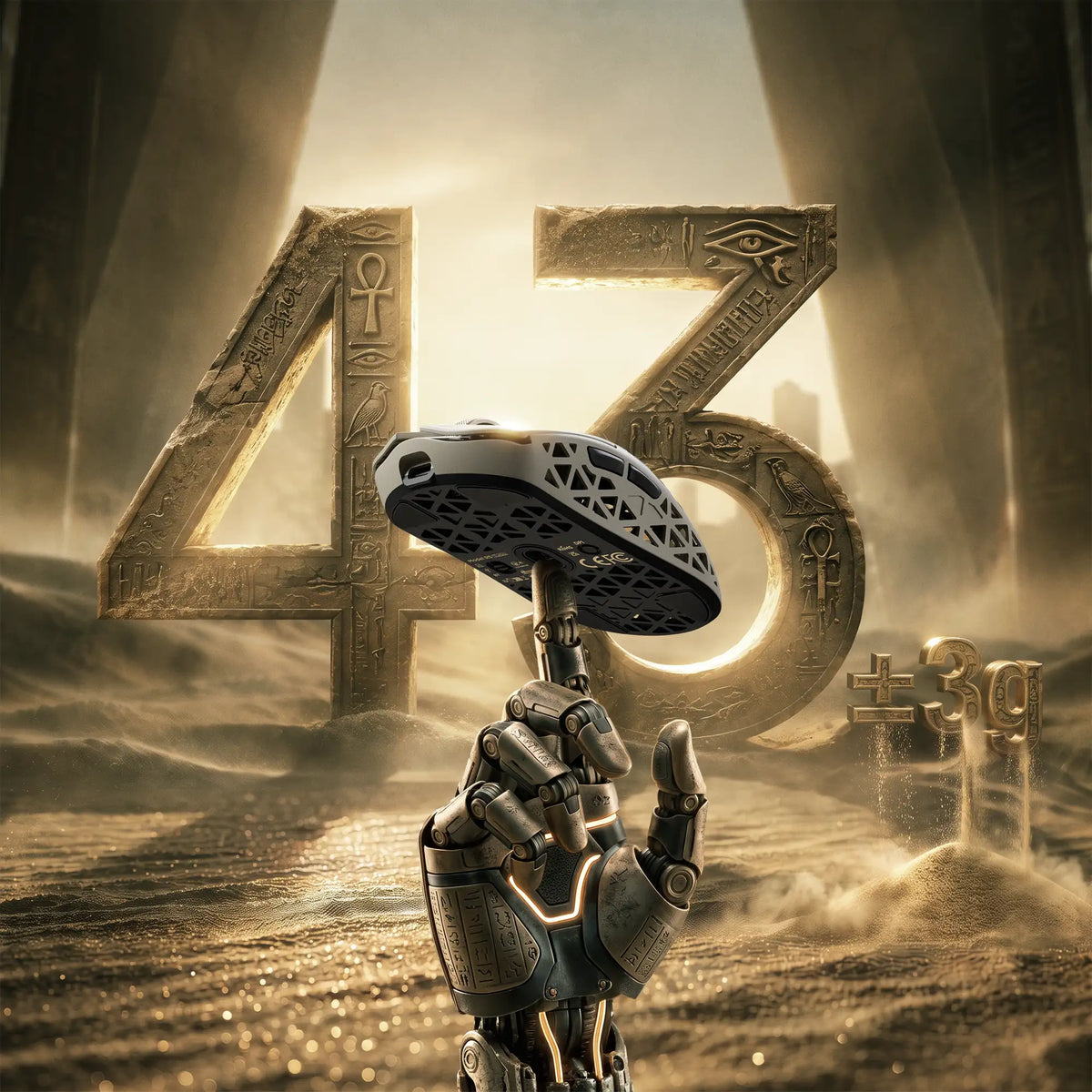
• 43±3g Ultra-Lightweight
• Nordic 54LM20 Chip
• PAW3950MAX Sensor (Up to 60000 DPI)
• Dual 8000Hz Polling Rate(Wired / Wireless)
• 20000 FPS Static Scan Rate
• Omron Optical Microswitches (100 Million Clicks )
• TTC Gold Scroll Wheel Encoder
• Adjustable LOD (3 Levels)
• Connection Methods: Wired / Wireless / Bluetooth
• Glass-feel Ice Coating
• Web & Software Control
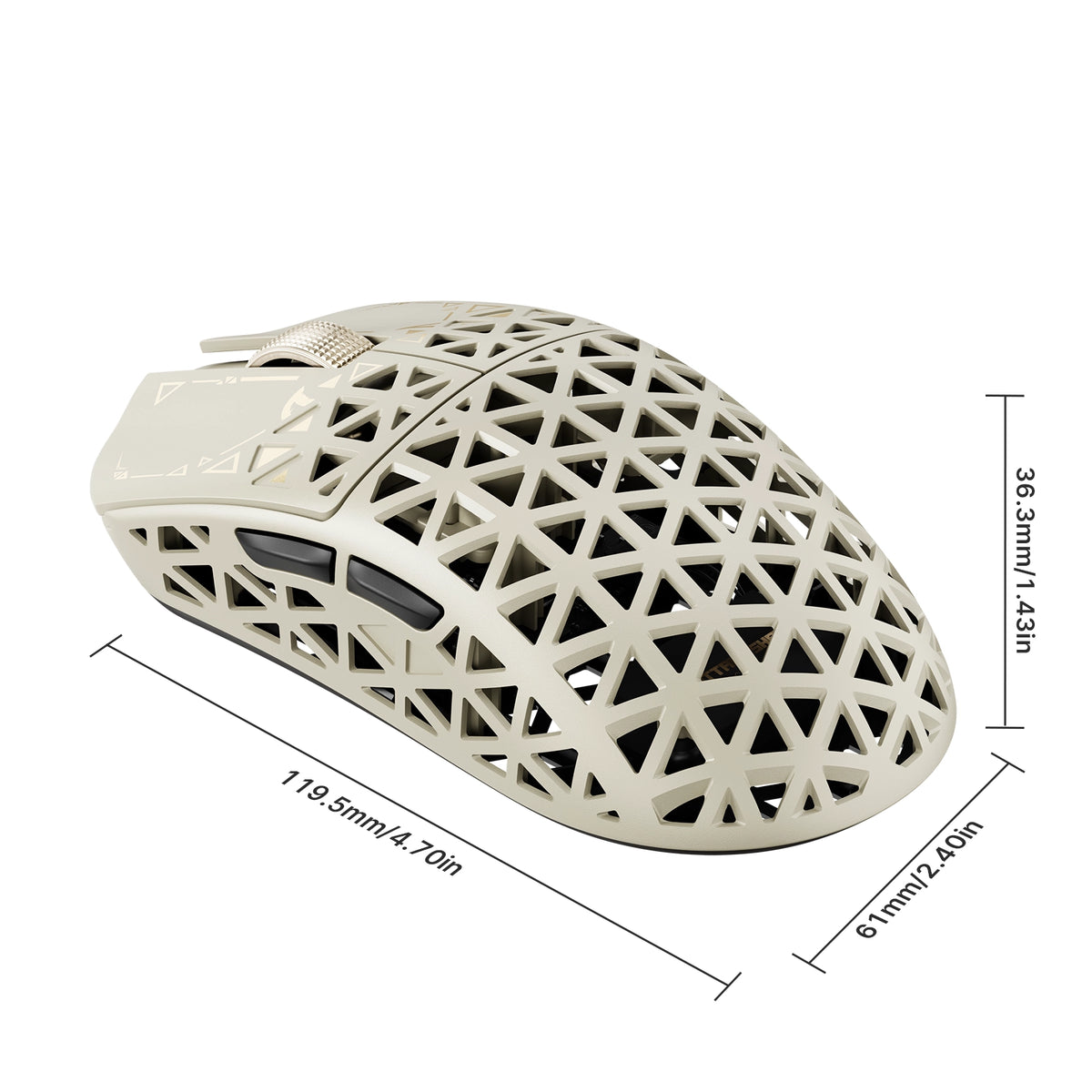
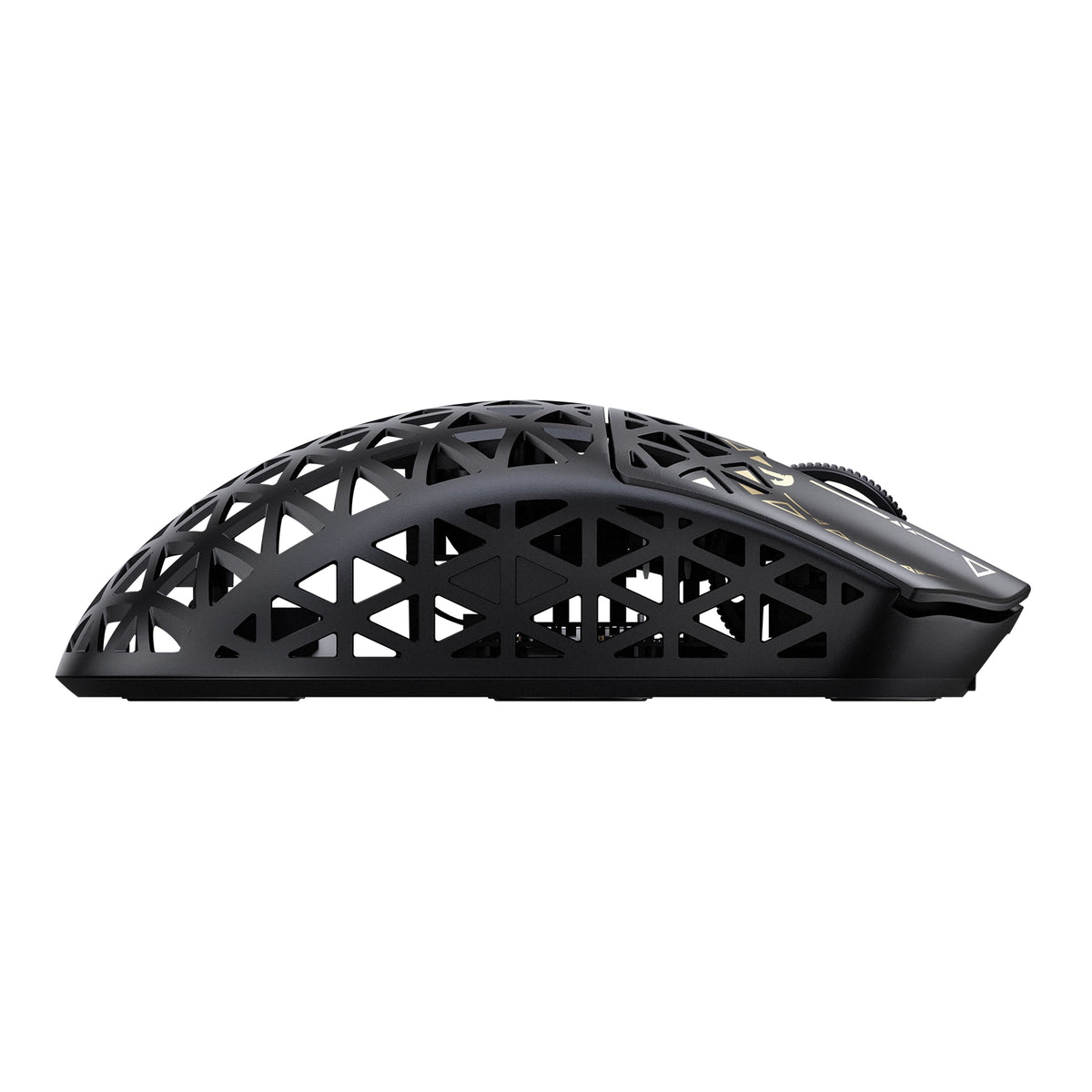
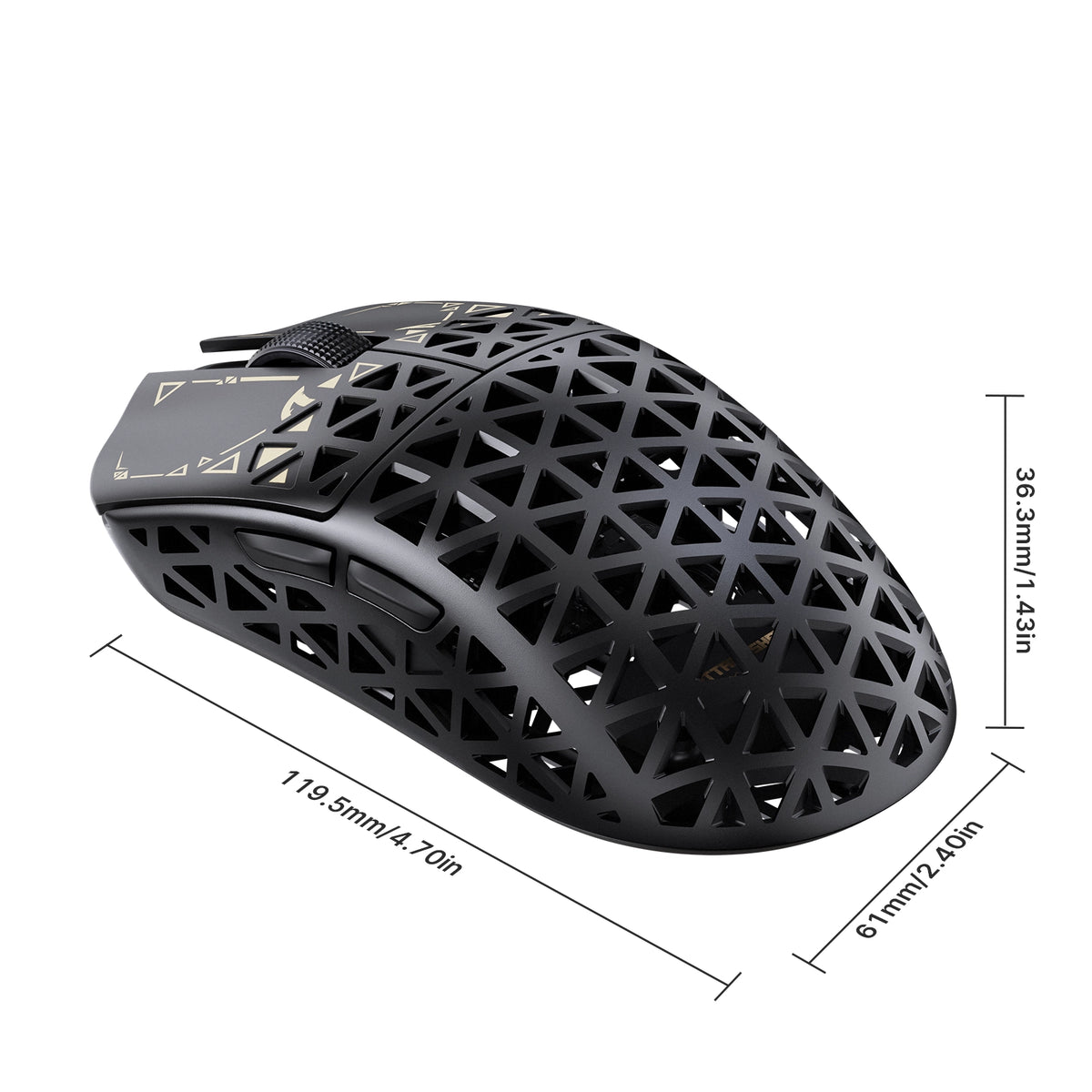
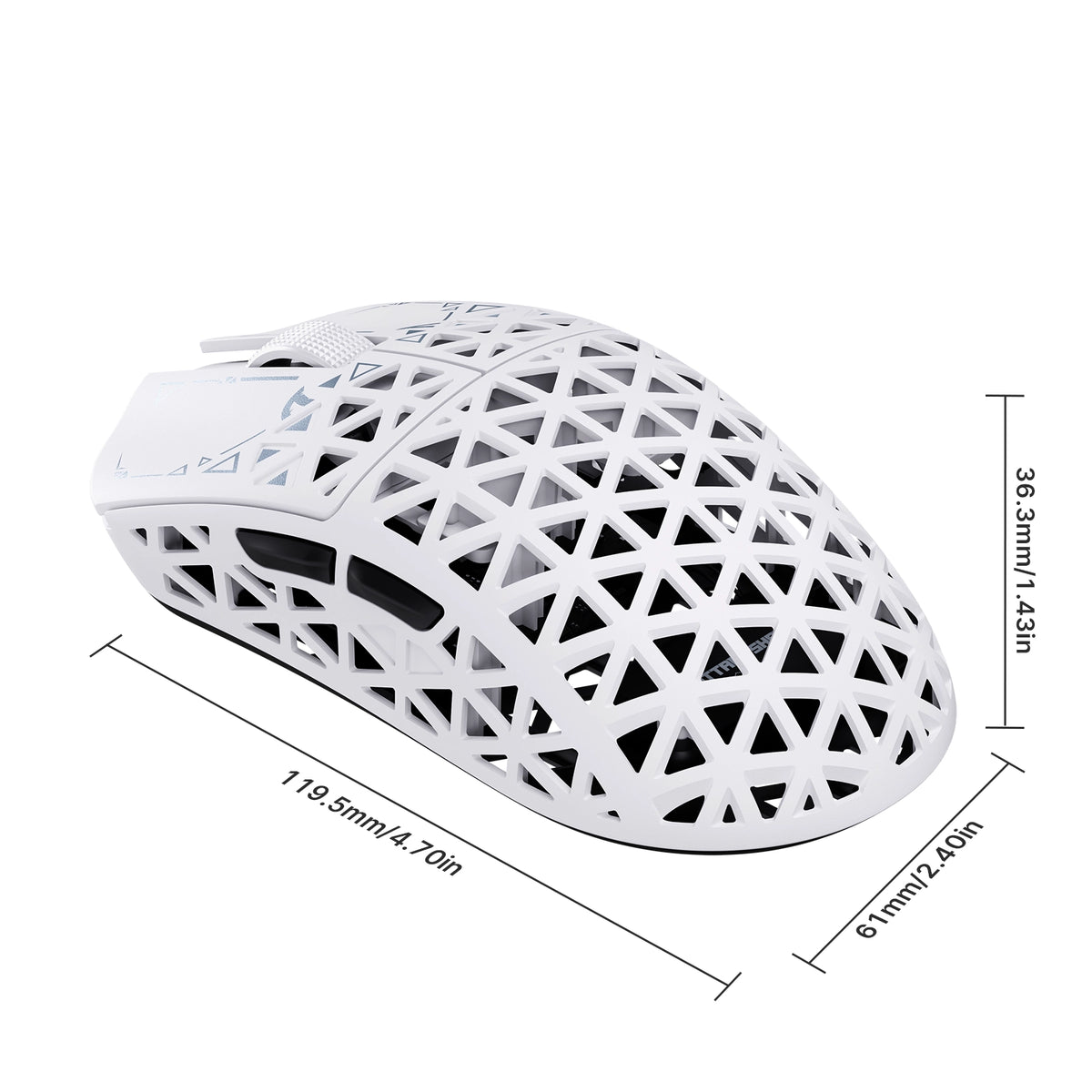
• Dimensions: 119.5mm X 61.0mm X 36.3mm

Color: Duna
MSRP:€104,95

ATTACK SHARK R5 TURBO specifications: 8000Hz polling, 43g weight, PAW3950MAX sensor, 60000 DPI, 20000 FPS
ATTACK SHARK R5 TURBO weighs 43g plus or minus 3g, shown on a robotic hand

Carcasa de compuesto de fibra de carbono de 43 ± 3 g

LIGERA. HECHA PARA DURAR.

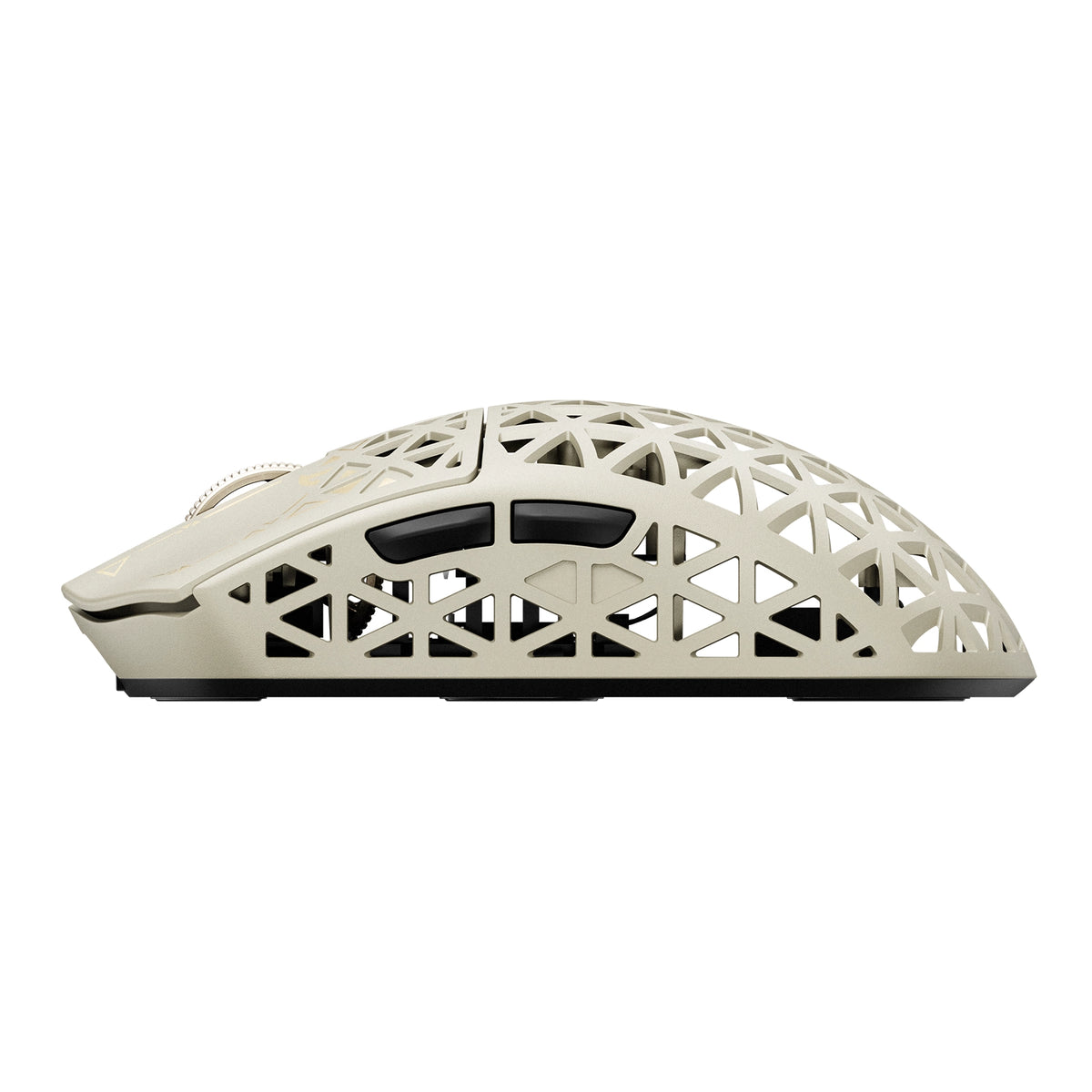
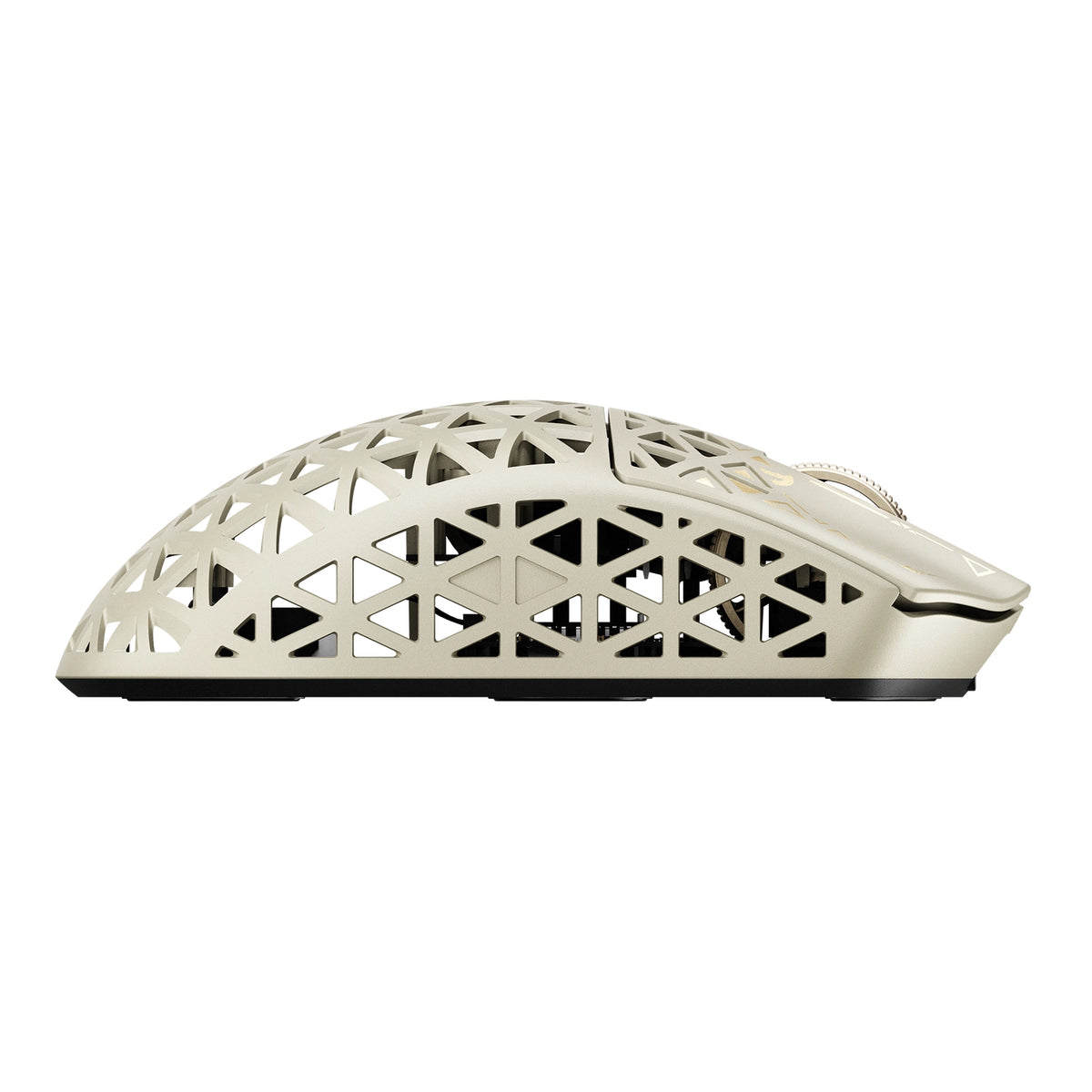
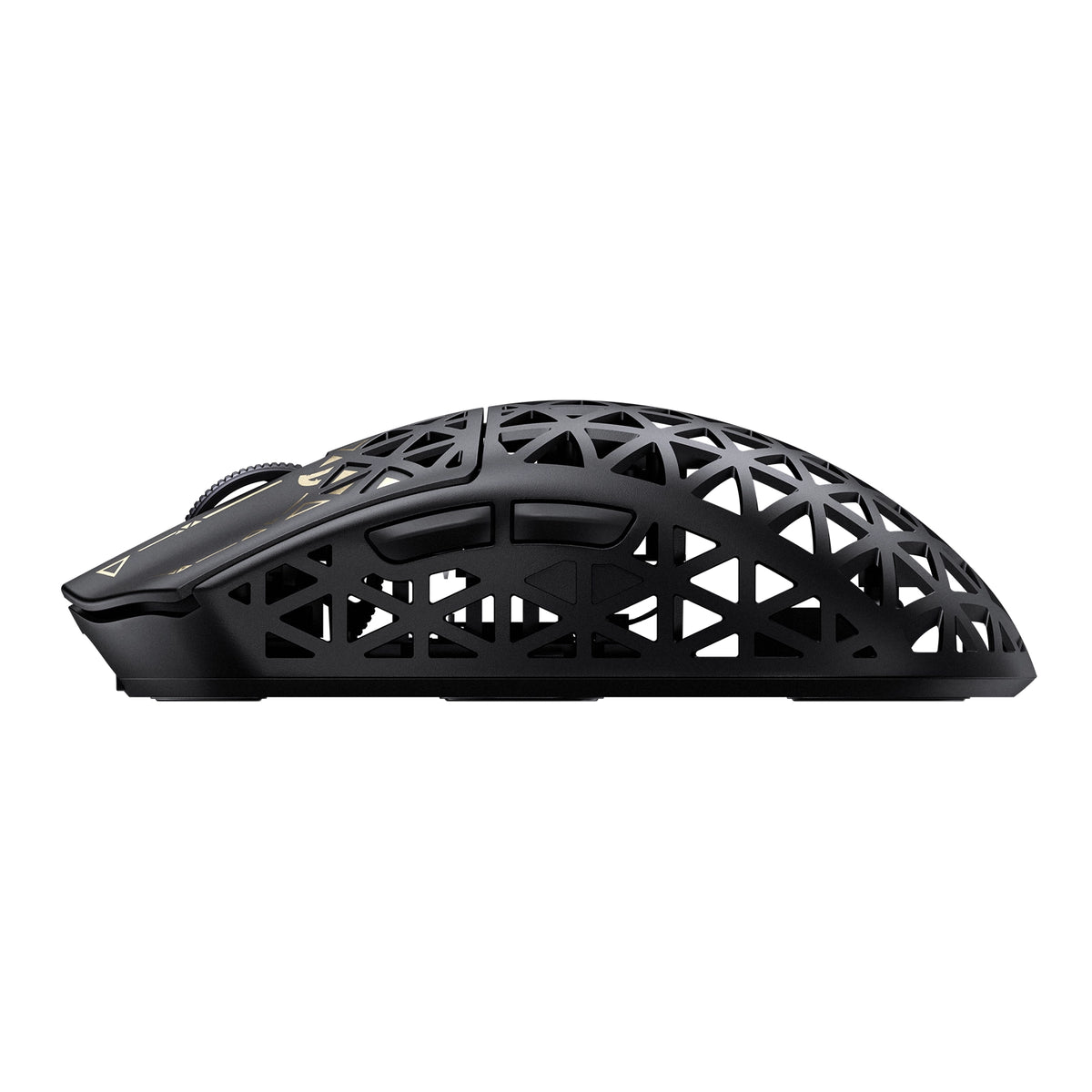
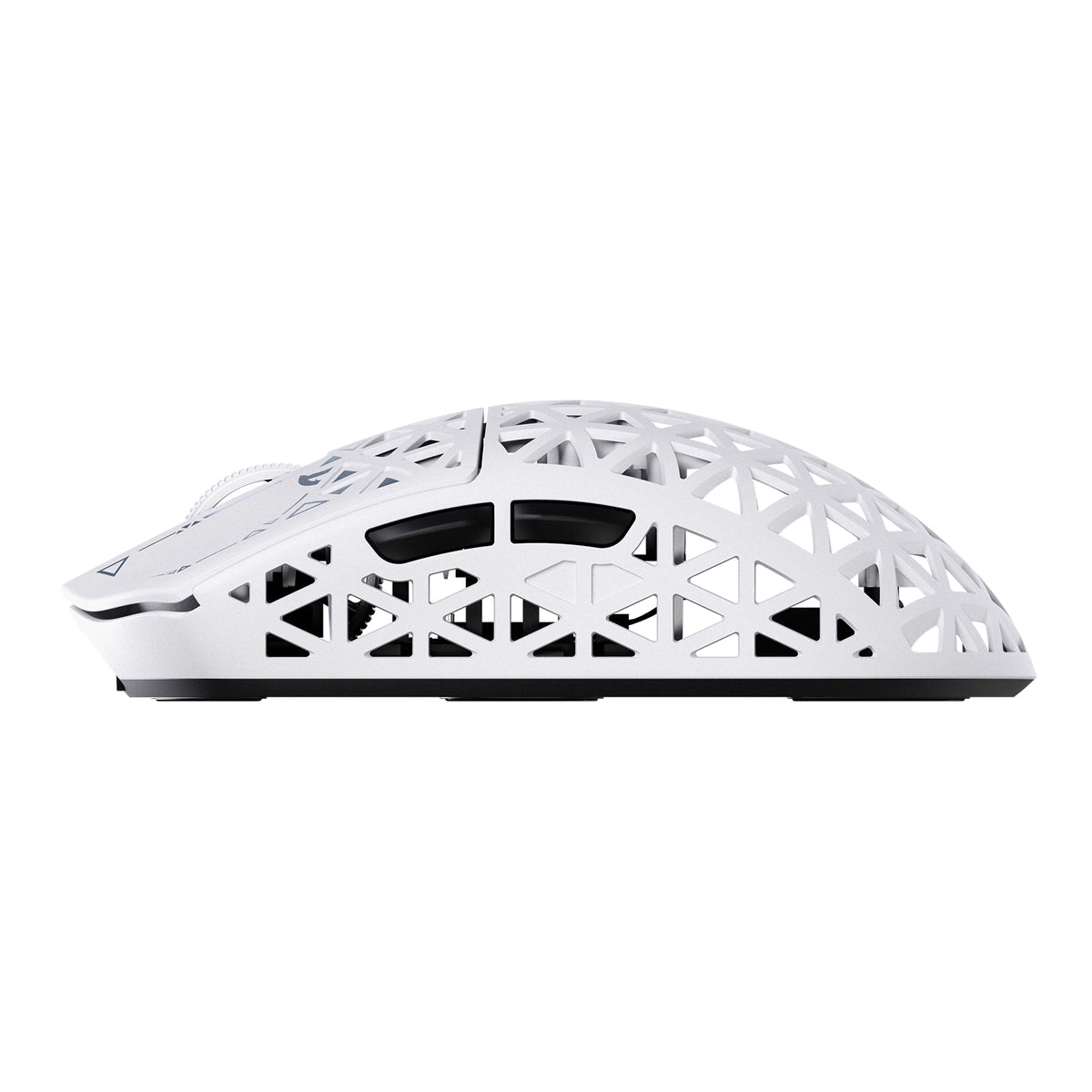
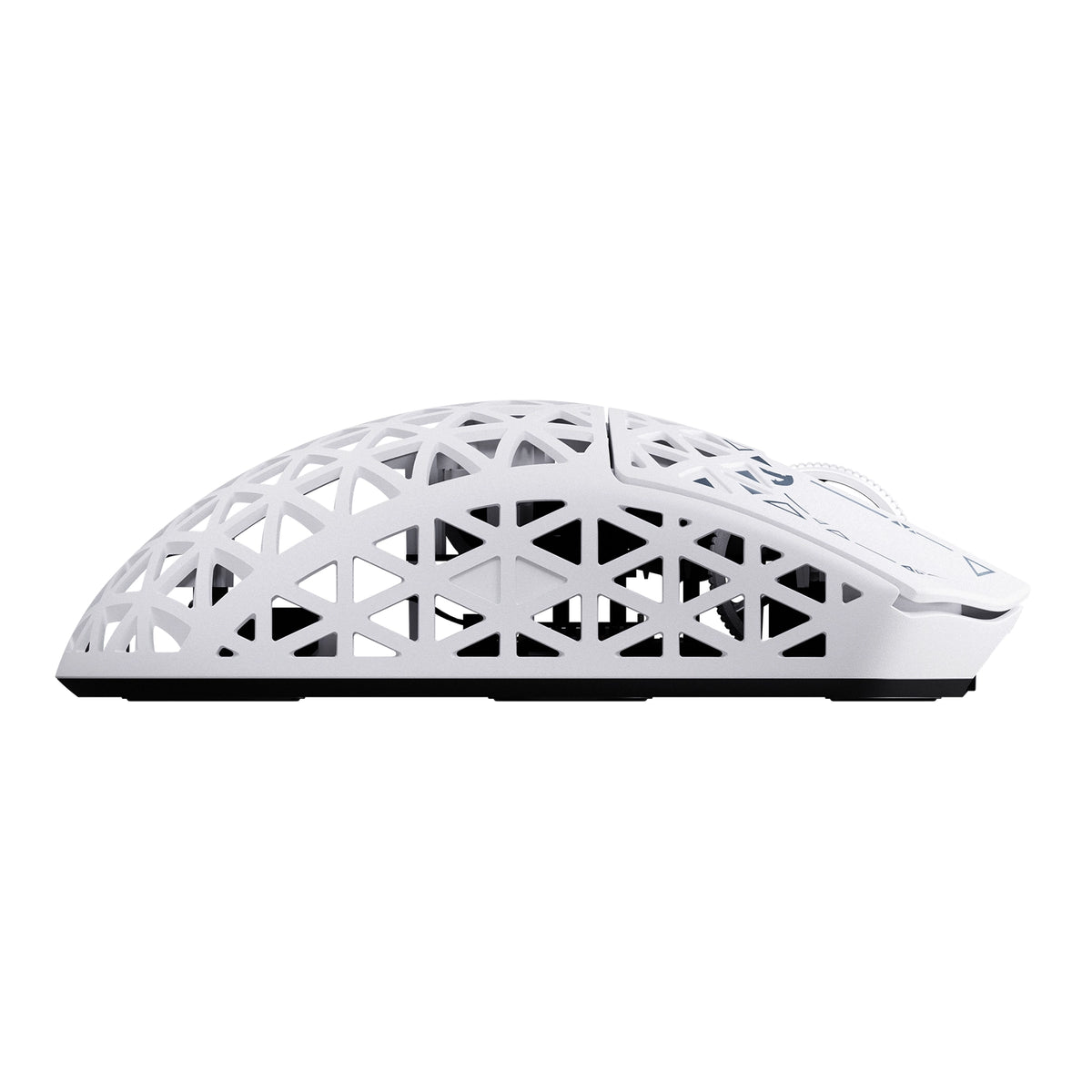
Diseñado con una carcasa de compuesto de fibra de carbono avanzada moldeada por inyección, el R5 TURBO pesa apenas 43 ± 3 g y ofrece una resistencia estructural y al desgaste excepcionales. Su diseño hueco y ventilado reduce el peso innecesario y mejora el flujo de aire, combinando durabilidad, comodidad y un control sin esfuerzo en cada movimiento.
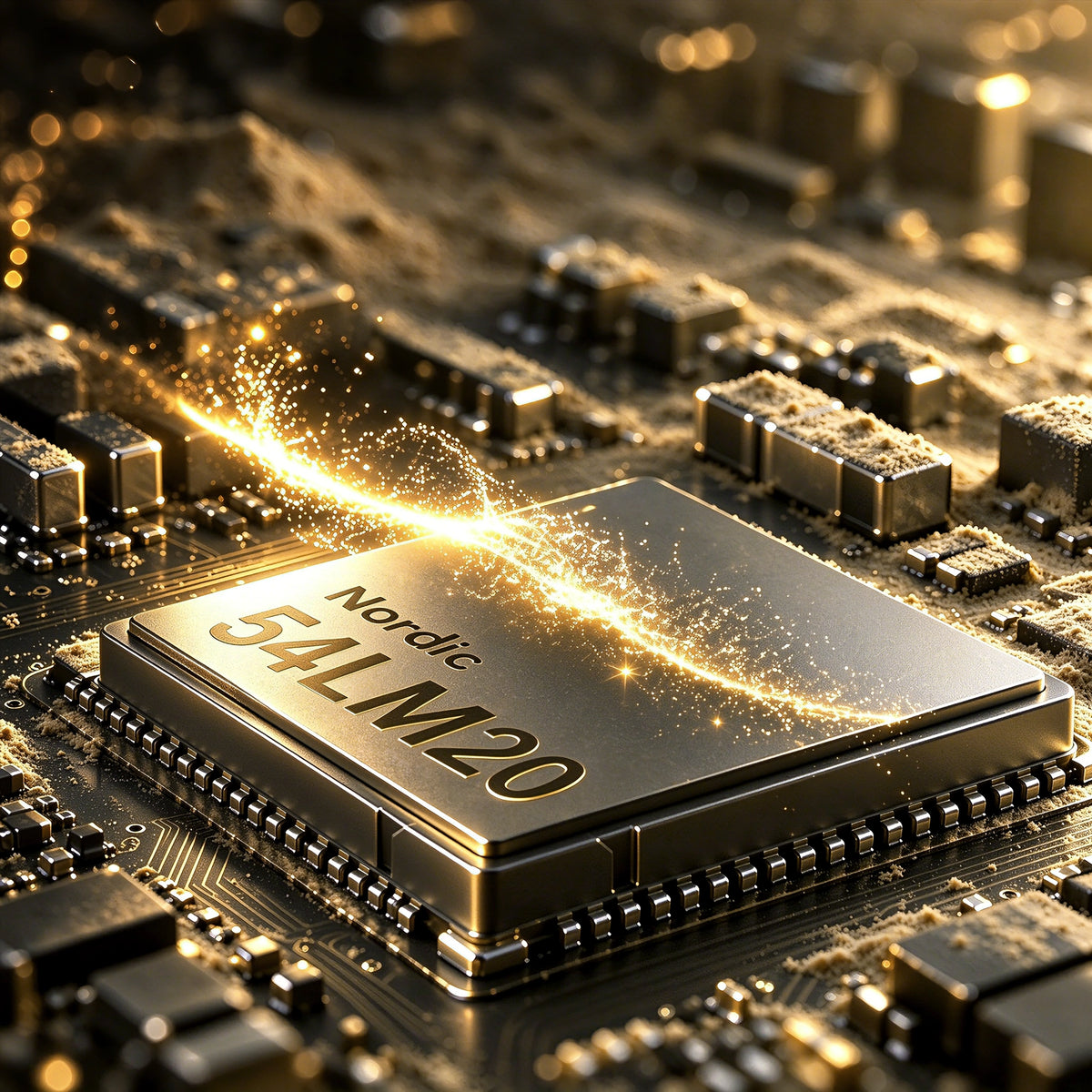
Nordic 54L20 MCU chip inside the ATTACK SHARK R5 TURBO wireless gaming mouse

MCU insignia Nordic 54LM20

POTENCIA DE NUEVA GENERACIÓN. MÁXIMO RENDIMIENTO.

En el corazón del R5 TURBO se encuentra el MCU insignia Nordic 54LM20 de última generación, diseñado para ofrecer un alto rendimiento en videojuegos. Gracias a su potente capacidad de procesamiento y a una comunicación inalámbrica eficiente, proporciona la velocidad, la estabilidad y la respuesta necesarias para los exigentes juegos competitivos.

Sensor óptico insignia PAW3950MAX

PRECISIÓN SIN LÍMITES.

Equipado con el sensor óptico insignia PAW3950MAX, el R5 TURBO ofrece una precisión de seguimiento excepcional con hasta 60.000 DPI y ajustes precisos en incrementos de 50 DPI. Con una velocidad de seguimiento de 750 IPS y una aceleración de 60 G, cada movimiento rápido, deslizamiento y microajuste se registra con una precisión extraordinaria, incluso durante las partidas más intensas.

Controla cada movimiento.

LOD AJUSTABLE EN 3 NIVELES

Personaliza tu experiencia de seguimiento con tres ajustes de distancia de despegue: 0.7mm, 1.0mm y 2.0mm. Tanto si prefieres la precisión de una distancia de despegue ultrabaja como una mayor flexibilidad al reposicionar rápidamente el ratón, el R5 TURBO se adapta a tu estilo de juego para ofrecer un control uniforme y fiable.

20.000 FPS para seguimiento de alta velocidad

Modo de caza de tiburones

Activa el modo HUNTING SHARK para desbloquear el escaneo del sensor a hasta 20.000 FPS y capturar movimientos rápidos con mayor velocidad y consistencia. Diseñado para partidas competitivas de ritmo acelerado, ayuda a mantener un seguimiento preciso durante movimientos rápidos del ratón, giros bruscos y cambios rápidos de dirección.
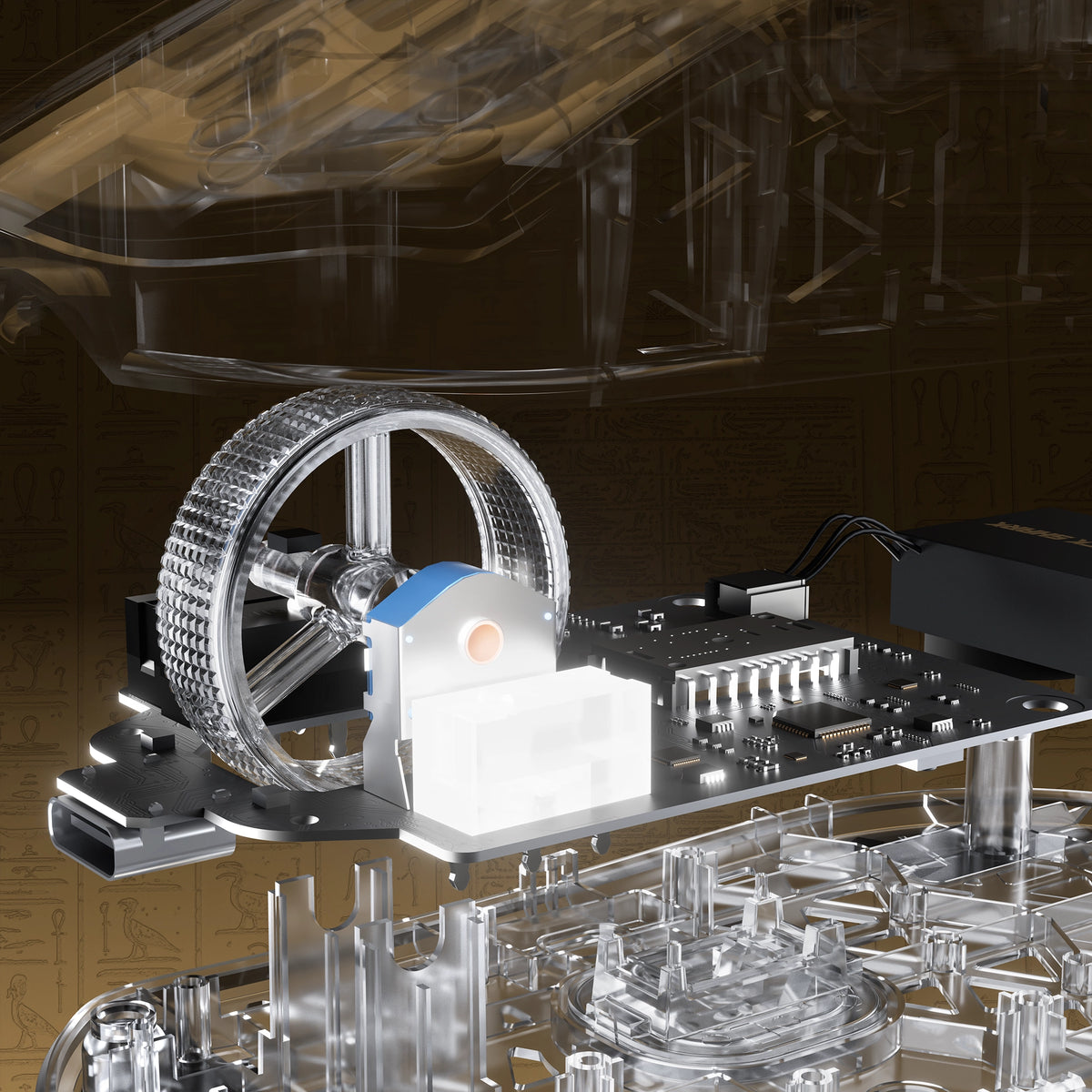
Exploded view of the electroplated scroll wheel and PCB in the ATTACK SHARK R5 TURBO

CADA CLIC. HECHO PARA DURAR.

INTERRUPTORES ÓPTICOS OMRON

CODIFICADOR TTC GOLD

Equipado con interruptores ópticos OMRON prémium, diseñados para más de 100 millones de clics, el R5 TURBO ofrece una activación rápida y constante, además de una durabilidad excepcional. Combinado con un codificador TTC Gold para la rueda de desplazamiento, proporciona una respuesta precisa al desplazarse y un rendimiento fiable durante innumerables sesiones de juego.

Rueda de desplazamiento electrochapada personalizada

Precisión en cada desplazamiento.

Con una rueda de desplazamiento electrochapada a medida, el R5 TURBO combina un acabado metálico prémium con un control táctil refinado. Diseñado para ofrecer un desplazamiento ágil y un funcionamiento preciso, realza tanto el atractivo visual como la experiencia de uso diario, aportando un toque adicional de sofisticación a cada movimiento.
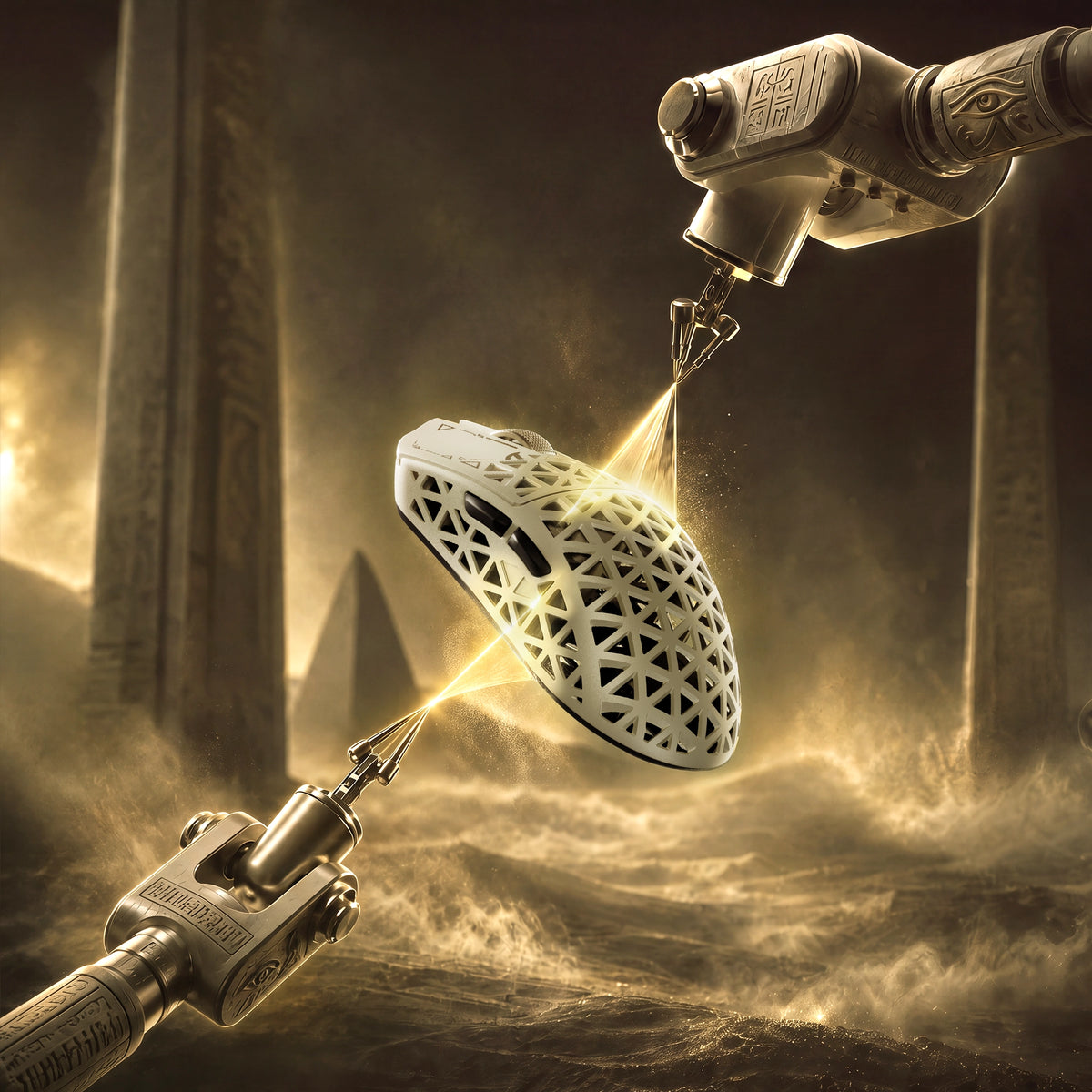
Glass-feel ice coating applied to the ATTACK SHARK R5 TURBO carbon fiber shell

Recubrimiento de hielo con acabado de vidrio premium

MANTÉNTE FRESCO. MANTÉN EL CONTROL.

Con un revestimiento especializado con tacto de vidrio y efecto frío, el R5 TURBO ofrece una superficie suave y refrescante que brinda comodidad duradera. El revestimiento ayuda a reducir la incomodidad de las manos sudorosas durante las sesiones de juego prolongadas y proporciona un agarre cómodo y firme incluso cuando la competencia se intensifica.
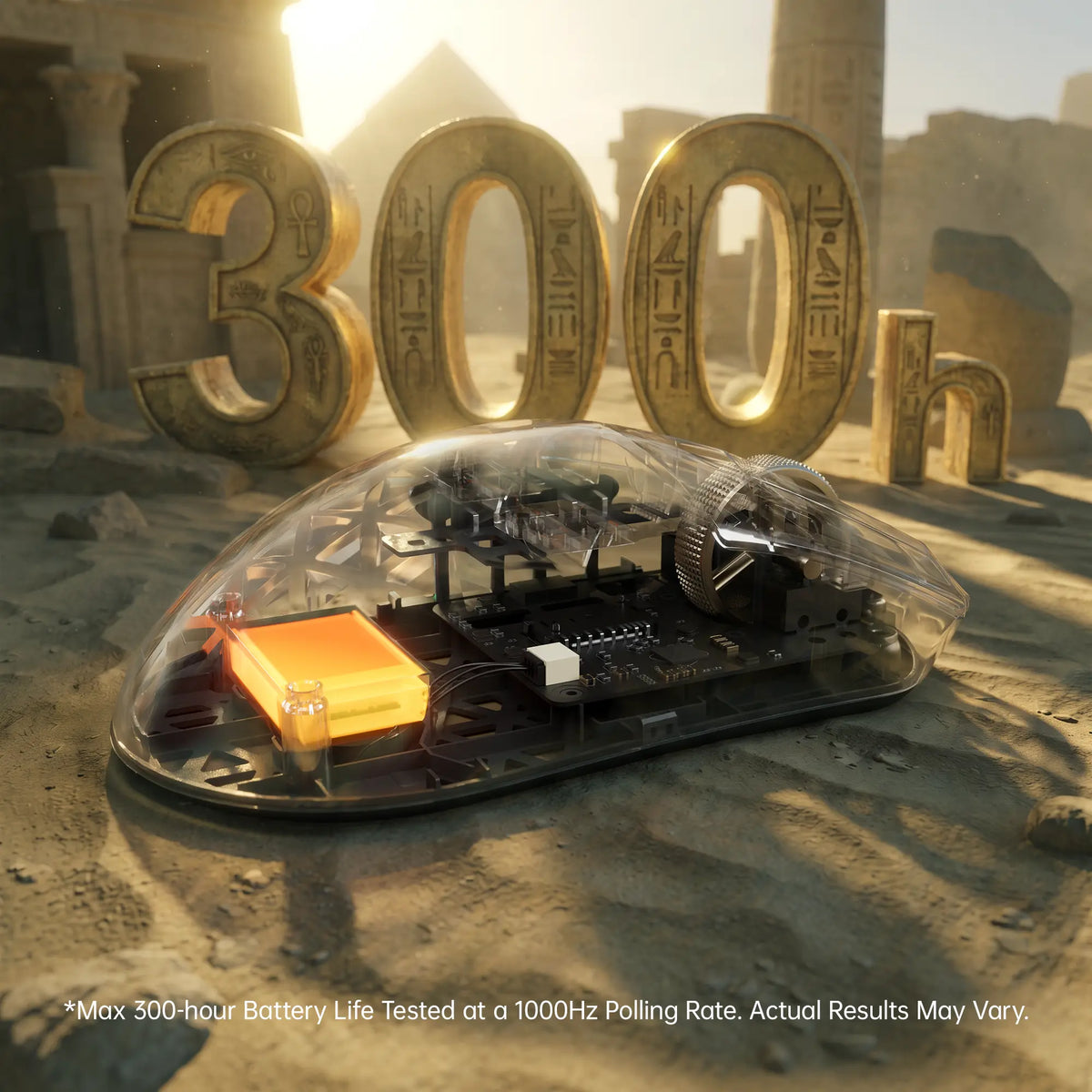
ATTACK SHARK R5 TURBO 300-hour battery life shown through a transparent shell

Hasta 300 horas de autonomía de la batería

JUEGA MÁS. CARGA MENOS.

Con una batería ligera de alta densidad de 290 mAh, el R5 TURBO ofrece hasta 300 horas de autonomía a 1000 Hz, combinando una larga duración con un diseño ultraligero para jugar sin interrupciones.

La autonomía de hasta 300 horas se midió con una tasa de sondeo de 1000 Hz en condiciones de prueba controladas. La autonomía real puede variar según el uso, la configuración y el entorno de funcionamiento.
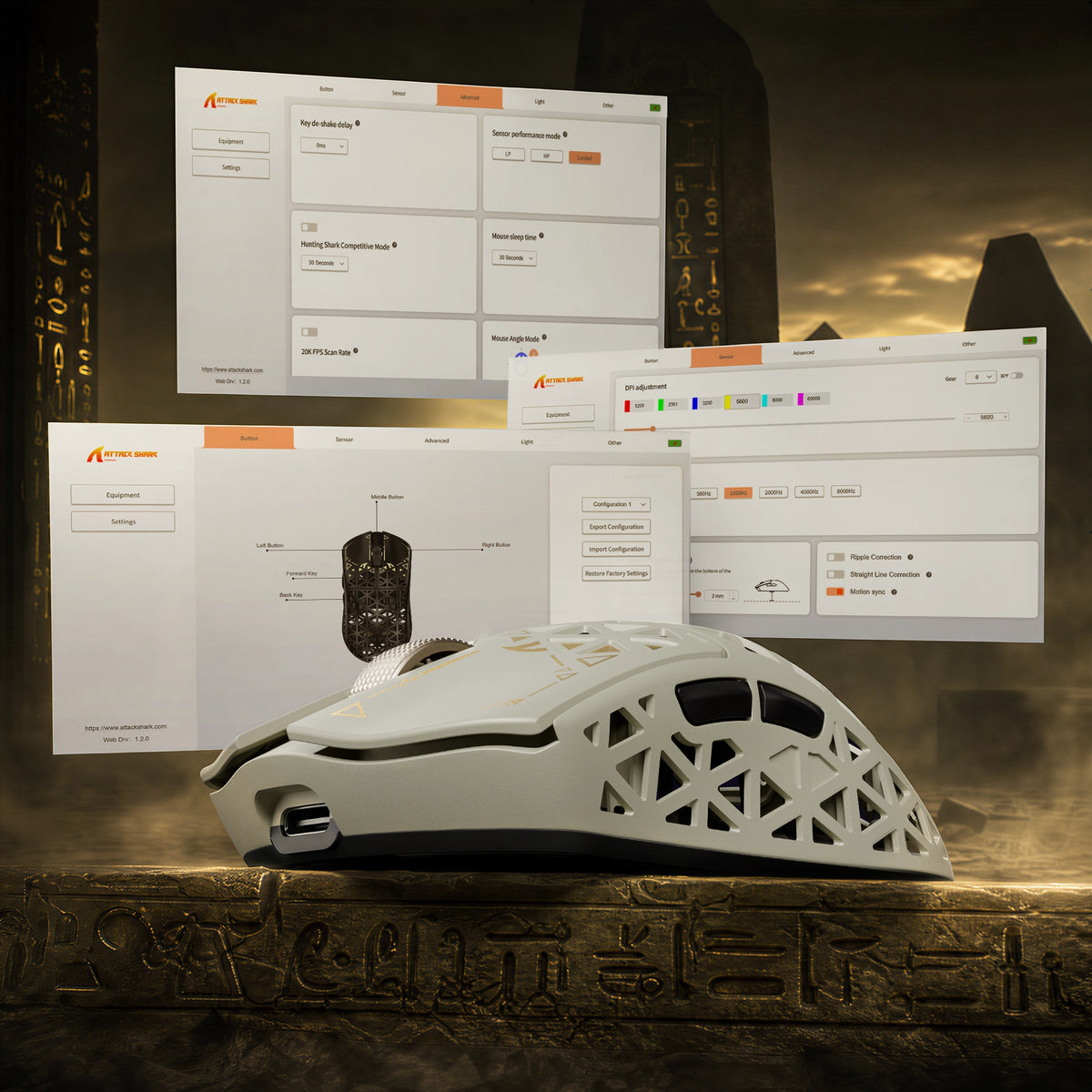
ATTACK SHARK R5 TURBO driver software for DPI adjustment, key remapping and lighting

Controladores web y descargables

TU RATÓN. TUS REGLAS.

Toma el control total de tu R5 TURBO con prácticos controladores para PC, disponibles en línea y para descargar. El controlador en línea reconoce automáticamente el dispositivo conectado y te permite personalizarlo rápidamente sin instalar software adicional. Ajusta la configuración y crea una experiencia personalizada que se adapte a tu estilo de juego.

<split-lines ></split-lines>

Technical Specifications

Model
R5 TURBO
Material
Carbon Fiber Composites
Connection
Wired/2.4G/Bluetooth 5.2
Sensor
PixArt PAW3950MAX
MCU
Nordic 54LM20
DPI
Up to 60000 (Supports precise 50 DPI step micro-adjustments )
Accelerated Speed
60G
Movement Speed
750IPS
Static Scan Rate
Supports ≥20,000 FPS
Weight
43g±3g
Polling Rate
Dual 8000Hz (Wired / Wireless)
LOD (Lift-Off Distance)
3-level (0.7/1.0/2.0mm)
Size
119.5mm X 61.0mm X 36.3mm
Microswitches
Omron Optial Microswitches (100 Million Times)
Scroll Wheel Eocoder
TTC Gold Scroll Wheel Encoder
Surface Treatment
Glass-feel Ice Coating
Battery Capacity
290 mAh
Mouse Feet Material
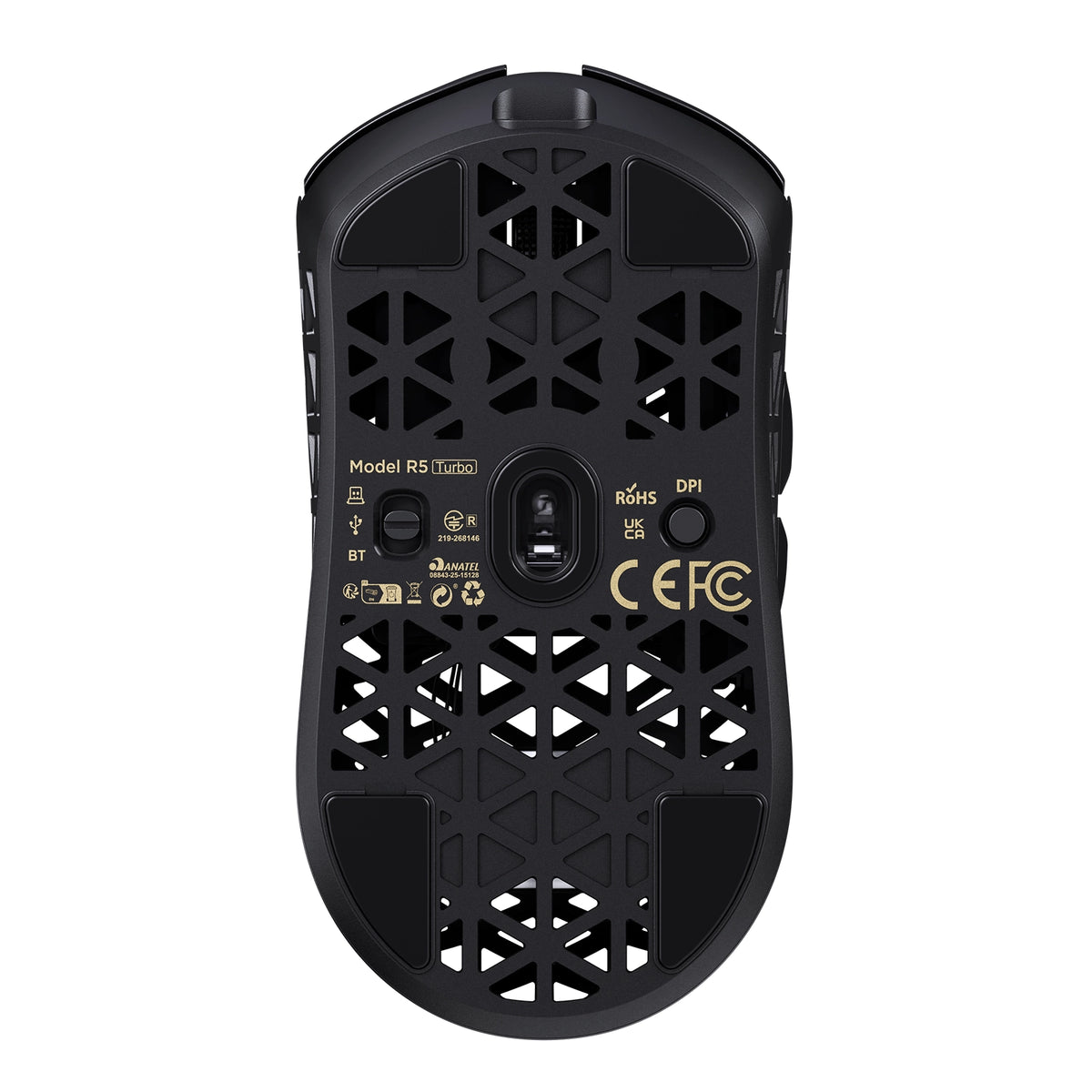
PTFE
Charging Interface
Type-C
What's in the box
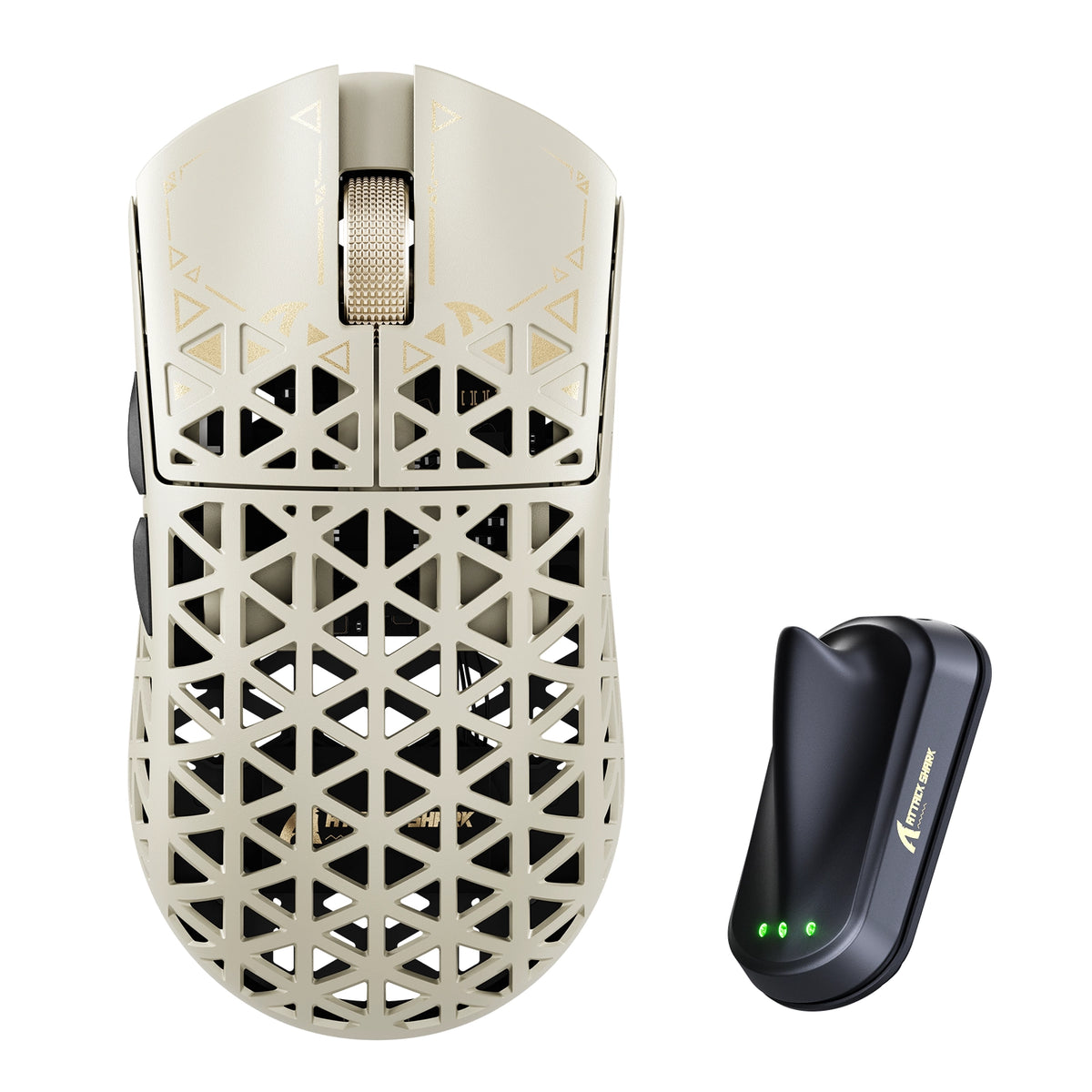
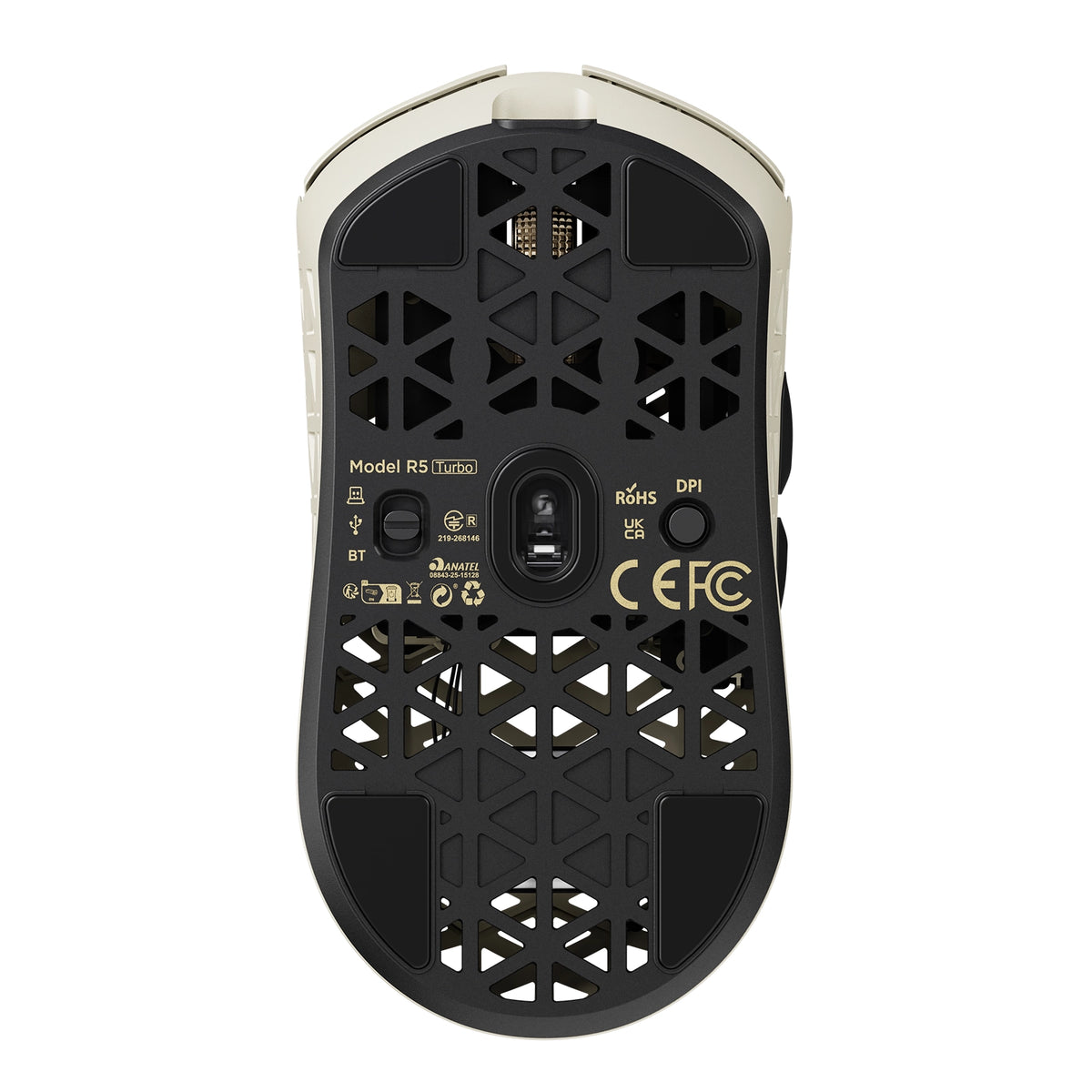
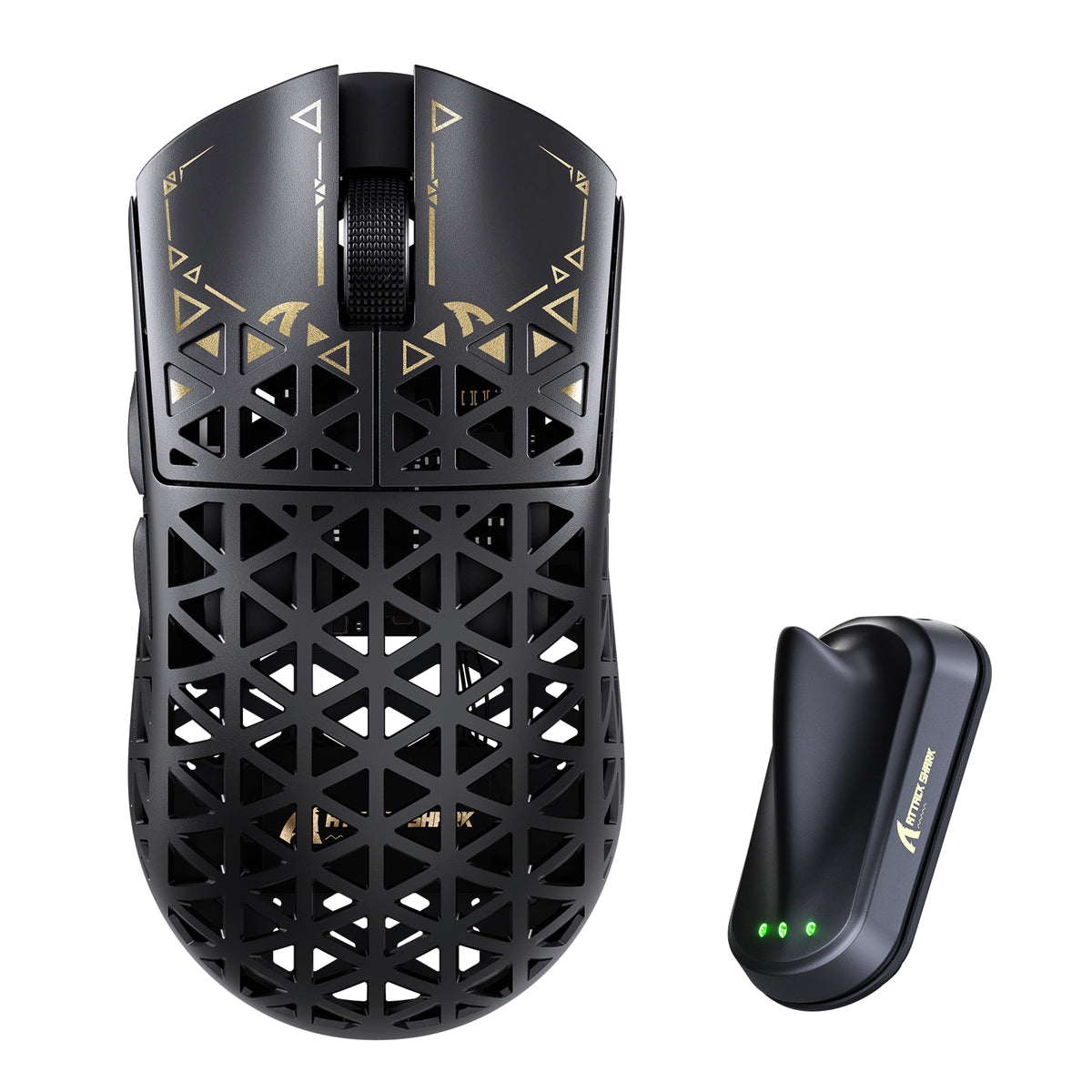
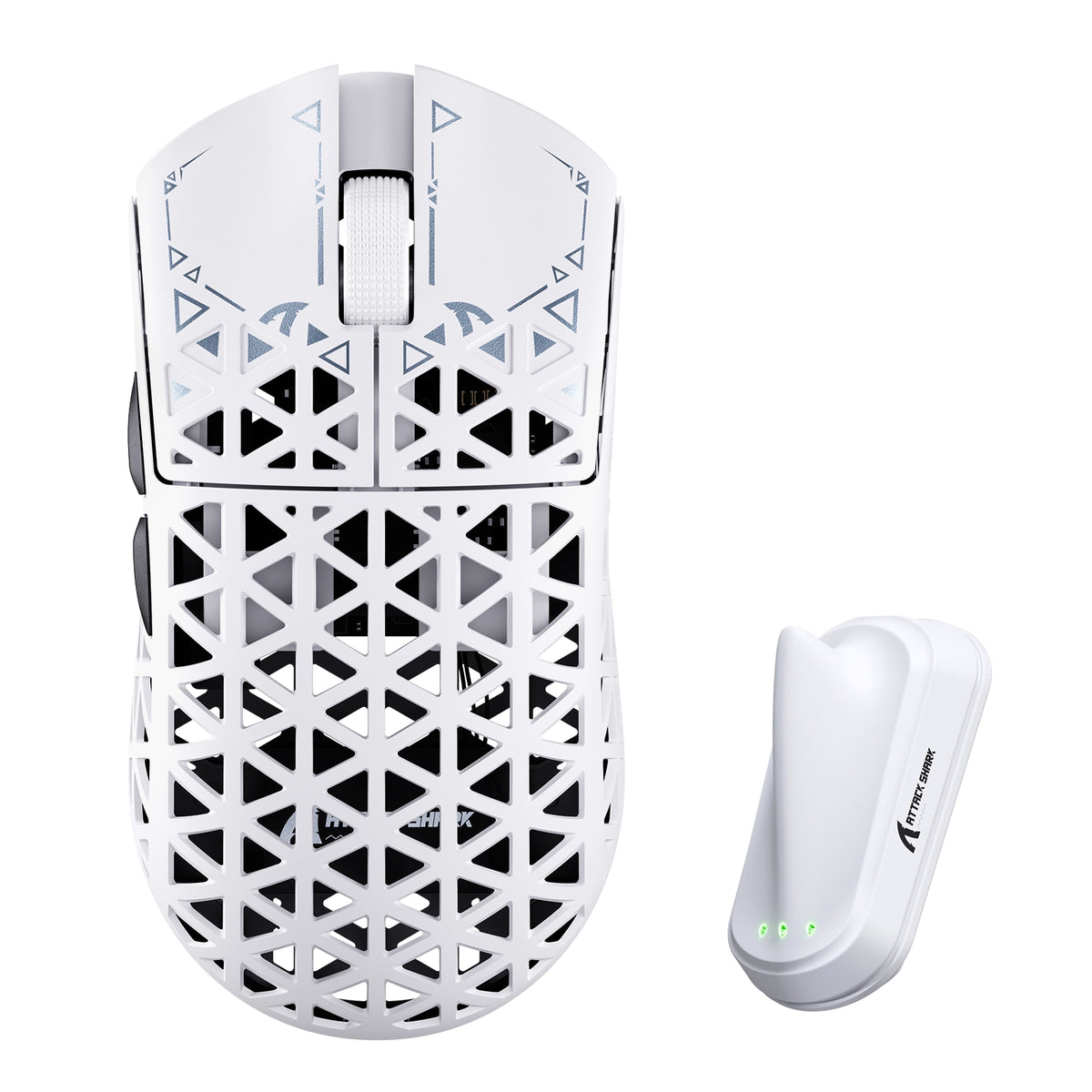
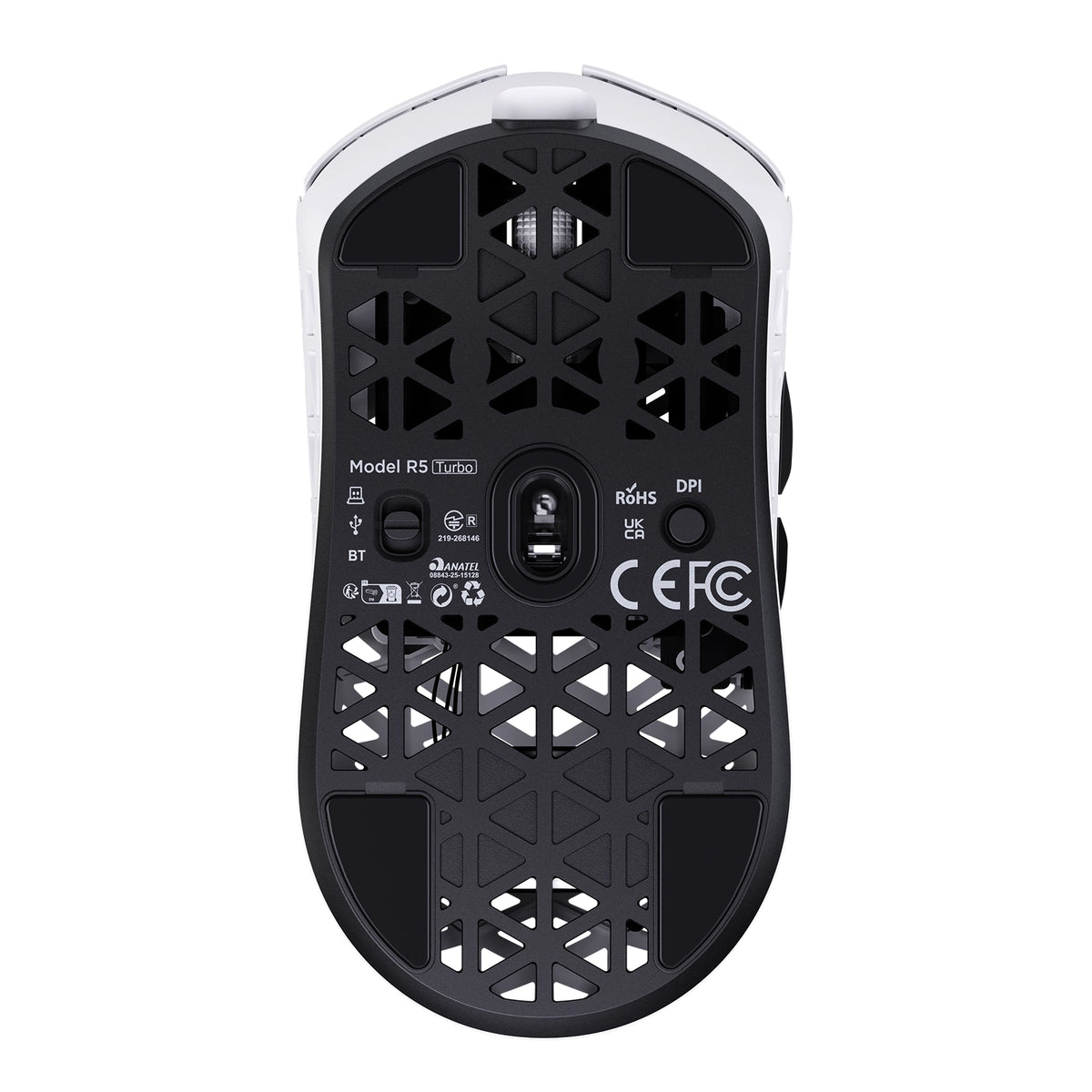
Mouse*1, 8K Receiver *1, 8K USB-C Cable *1, Grip Tape*1
  • Carcasa compuesta de fibra de carbono ultraligera

  • Con un peso de solo 43 ± 3g, el R5 TURBO cuenta con una carcasa compuesta de fibra de carbono moldeada por inyección que combina una construcción ligera con una excelente resistencia estructural y al desgaste. Su diseño hueco y ventilado ayuda a mejorar el flujo de aire y la comodidad durante sesiones de juego prolongadas.
  • Sensor óptico insignia PAW3950 MAX

  • Equipado con el sensor óptico de alto rendimiento PAW3950 MAX, ofrece hasta 60,000 DPI con incrementos precisos de ajuste de 50 DPI, una velocidad de seguimiento de 750 IPS y una aceleración de 60G. Disfruta de una precisión de seguimiento excepcional y un control rápido para juegos competitivos de ritmo intenso.
  • MCU Nordic 54LM20 de última generación

  • Con el MCU insignia Nordic 54LM20, el R5 TURBO ofrece un potente rendimiento de procesamiento y una comunicación inalámbrica eficiente. Diseñado para brindar velocidad y estabilidad, garantiza una respuesta rápida a las entradas y un rendimiento fiable durante las partidas intensas.
  • Distancia de despegue ajustable en 3 niveles

  • Personaliza el seguimiento con tres ajustes de distancia de despegue: 0.7mm, 1.0mm y 2.0mm. Ajusta con precisión la respuesta del sensor al levantar y cambiar de posición el ratón para disfrutar de mayor flexibilidad y control con distintos estilos de juego.
  • Interruptores ópticos OMRON con una vida útil de más de 100 millones de clics

  • Gracias a sus interruptores ópticos OMRON de primera calidad, con una vida útil de más de 100 millones de clics, el R5 TURBO ofrece una activación rápida y constante, además de una durabilidad excepcional. Disfruta de clics fiables y una respuesta inmediata durante incontables sesiones de juego.
  • Conectividad de tres modos y sondeo dual de 8K

  • Admite conexión por cable, inalámbrica de 2.4GHz y Bluetooth para ofrecer versatilidad en distintas configuraciones. Disfruta de una frecuencia de sondeo de hasta 8000Hz tanto en el modo con cable como en el inalámbrico de 2.4GHz, con una transmisión de entradas ultrarrápida y un control fluido y preciso.
  • Hasta 300 horas de autonomía

  • Gracias a una batería ligera de alta densidad de 290mAh, el R5 TURBO ofrece hasta 300 horas de autonomía con una frecuencia de sondeo de 1000Hz. Disfruta de sesiones de juego más largas con menos interrupciones para cargar, sin renunciar a un diseño ultraligero.
  • Controladores para PC web y descargables

  • Personaliza tu experiencia de juego con controladores para PC disponibles en la web y para descargar. El controlador web reconoce automáticamente los dispositivos conectados para que puedas acceder rápidamente a los ajustes del ratón sin instalar software adicional.
  • Acabado superficial prémium Ice-Touch

  • El R5 TURBO cuenta con un revestimiento especial Ice-Touch, similar al vidrio, que ofrece una superficie suave y refrescante al tacto. Diseñado para reducir la incomodidad causada por las manos sudorosas, proporciona mayor comodidad y un agarre agradable durante sesiones de juego prolongadas.
  • Rueda de desplazamiento electrochapada personalizada con codificador TTC Gold

  • La rueda de desplazamiento electrochapada personalizada, combinada con un codificador TTC Gold prémium, ofrece un control preciso del desplazamiento y una respuesta táctil refinada. Su acabado metálico aporta un toque prémium y mejora la experiencia de desplazamiento.

Preguntas frecuentes

Usa este texto para compartir información sobre tu producto o tus políticas de envío.

How to choose a gaming mouse - and where does the R5 TURBO fit?

A gaming mouse buying guide comes down to five decisions: weight, shape and grip, sensor and polling rate, switch type, and how you connect it. For fast FPS play a lightweight wireless gaming mouse like the R5 TURBO hits all five - 43g, PAW3950 MAX, 8K polling, optical switches, tri-mode wireless. Shape and grip come first: it is the one thing you cannot upgrade later.

What is the ATTACK SHARK R5 TURBO - and what is in the box?

The R5 TURBO is ATTACK SHARK's carbon fiber wireless gaming mouse: a 43 +/- 3g injection-molded composite shell, PAW3950 MAX sensor, Nordic 54LM20 MCU, OMRON optical switches and dual 8K polling over wired and 2.4GHz. An ultralight gaming mouse for competitive FPS - and a contender for best mouse for fps. Dune, Black and White; MSRP US$89.99, or US$94.99 for Dune. Pre-orders Oct 23 PDT, shipping Nov 7. Box: mouse, 8K receiver, USB-C cable, grip tape, guide.

How light is the R5 TURBO, what grip does it suit, and is 43g too light?

Light vs heavy mouse is a genuine trade-off: under roughly 60g a lightweight mouse cuts fatigue and frees fast flicks, while extra weight adds inertia others prefer. At 43 +/- 3g the R5 TURBO sits in the ultralight mouse bracket - among the lightest gaming mouse designs at this size - and the composite shell keeps that gaming mouse weight from feeling hollow. 119.5 x 61 x 36.3mm suits claw and fingertip grips; very large hands want a wider shell.

Why carbon fiber instead of a plastic honeycomb shell?

Most lightweight gaming mice use a thin ABS honeycomb shell that flexes and wears. Carbon fiber mice do not: the R5 TURBO's injection-molded composite gives higher strength, better wear resistance and far less flex at 43g - what separates a carbon fibre mouse from plastic. The vents stay for airflow, so you get a carbon fiber gaming mouse without the fragility of early ultralight designs.

Does the honeycomb design let dust in or flex under pressure?

The vents sit above an internal frame, not the PCB, so dust and crumbs do not reach the sensor or switches. The composite shell resists pressure far better than thin plastic honeycomb - squeeze the sides and there is noticeably less give. If a mouse with holes put you off because older honeycomb mouse designs felt flimsy, this fixes it: the carbon fiber mouse shell loses nothing in durability.

Will it help if my hands sweat during long sessions?

Sweaty hands come down to surface friction and trapped heat. The glass-like ice-touch coating feels cool and low-friction, resisting the sticky drag of matte plastic, and the ventilated shell lets heat escape instead of trapping it under your palm. If you have been hunting for the best mouse for sweaty hands, that is exactly what the coating is for: it makes this a gaming mouse for sweaty hands, not just a mouse with a nice surface.

What sensor and DPI does it use, and why does 3-level LOD matter?

It runs the PAW3950 MAX with 1,200-60,000 DPI in 50 DPI steps, 750 IPS and 60G, and HUNTING SHARK mode lifts static scanning to 20,000 FPS. In practice the 50 DPI step matters more than the headline number. Three LOD presets - 0.7mm, 1.0mm, 2.0mm - set how far you lift before tracking stops, and 0.7mm suits cloth pads and fast resets. That is why this fps mouse feels locked in.

What does the Nordic 54LM20 MCU bring over the previous generation?

It is the flagship Nordic 54LM20, a step up from the Nordic 54L15 in the previous generation. It handles input faster and keeps the wireless link stable when the sensor works hardest: more headroom for 8K polling on 2.4GHz, and enough processing to hold HUNTING SHARK mode at full scan rate. In practice that is fewer dropped inputs during fast flicks.

What polling rate does it support, and is 8000Hz worth it?

It reports at up to 8,000Hz in both wired and 2.4GHz modes. The 1000Hz vs 8000Hz mouse question is one of interval - 1ms versus 0.125ms - so an 8000Hz gaming mouse updates your aim eight times more often. Whether that is the best polling rate for gaming depends on your display: 8K pays off on 240Hz with a strong CPU, not on 60Hz. Mouse polling rate is adjustable any time.

Do I need a high-end PC to run 8K polling?

An 8k polling rate mouse generates more USB traffic and leans on the CPU: use a directly connected rear port, not a hub. A modern 6-core CPU should show no meaningful drop, which is why an 8K mouse ships with a dedicated receiver - the shark-fin unit adds a longer antenna and LEDs for link, rate and battery. If you do see a hit, drop to 2000Hz; this 8k gaming mouse stays smooth lower down.

Wired vs wireless: is the R5 TURBO as fast as a wired mouse?

Wireless mouse latency is the old objection to cutting the cable, and at 8K it largely disappears: ATTACK SHARK's self-developed transmission brings click latency below 0.168ms at 8000Hz on a competition-grade PC - past the point where wired vs wireless gaming mouse differences are humanly detectable. Wired mode also runs 8K, so the cable is for charging. That is why it holds up as a best wireless gaming mouse, not a compromise.

How long does the battery last, and how do I charge it?

The 290mAh high-density battery is rated for up to 300 hours at 1000Hz. Gaming mouse battery life scales with polling rate, so run 8K while you play and drop to 1000Hz or Bluetooth between matches. Charging is over USB-C, and the receiver's three LEDs show link, rate and battery. For a 43g shell that beats most wireless gaming mice - long battery life usually costs you weight.

How do I set it up, switch between wired, 2.4GHz and Bluetooth, and customize it?

The Bluetooth vs 2.4GHz mouse question is one of priorities. Bluetooth 5.2 is for work - no dongle, instant switching - but its report rate is capped. 2.4GHz through the shark-fin receiver is the gaming path: full 8000Hz and the most stable signal. Wired is for charging and playing at once. Settings live in the web driver, which finds the mouse in your browser with nothing to install, or the downloadable PC driver.

What switches does it use, and why optical?

It uses OMRON optical switches rated beyond 100 million clicks. An optical switch mouse actuates when a light beam breaks rather than when metal contacts touch, removing the wear behind double-click failures and giving a faster, cleaner release. If you want a gaming mouse with optical switches so you stop replacing mice yearly, that is the real gain.

What is upgraded in the scroll wheel?

The wheel is a custom electroplated unit on a TTC Gold encoder - not the plain plastic wheel and budget encoder most lightweight mice use. The plating resists shine and wear, and the Gold encoder keeps every step crisp instead of going mushy after months of scrolling, so scroll-wheel binds like weapon swap and jump register the same in month six as on day one.

Is it a good mouse for CS2?

CS2 rewards weight, a predictable sensor and low lift-off distance, and the R5 TURBO covers all three: 43g for fast counter-strafing and wide flicks, 750 IPS with no acceleration, and LOD down to 0.7mm so the crosshair does not drift on reset. For anyone shortlisting a best mouse for CS2, it is built for low-sensitivity players who want nothing else in the way.

Is it good for Valorant?

Valorant rewards small, repeatable adjustments over raw flicks, so fine DPI control and crisp, fast-resetting clicks matter most. The R5 TURBO gives 50 DPI steps to match the sensitivity you already run, 8K polling for smoother micro-tracking, and optical switches with a short clean reset for tap-fire duels. Effective sensitivity beats a big DPI number. A strong candidate for best mouse for Valorant on claw or fingertip.

Nuestro servicio de atención al cliente está disponible de lunes a viernes: de 8:00 a 20:30.Tiempo promedio de respuesta: 24 h